API Response Time Monitoring Web Dashboard
Developer tools
Case study
Team
2 UX Researchers
UX Designer (Me)
My Role
Research
Conceptualizing
Testing
Designing
Tools
Figma
Duration
5 months
PROJECT Overview
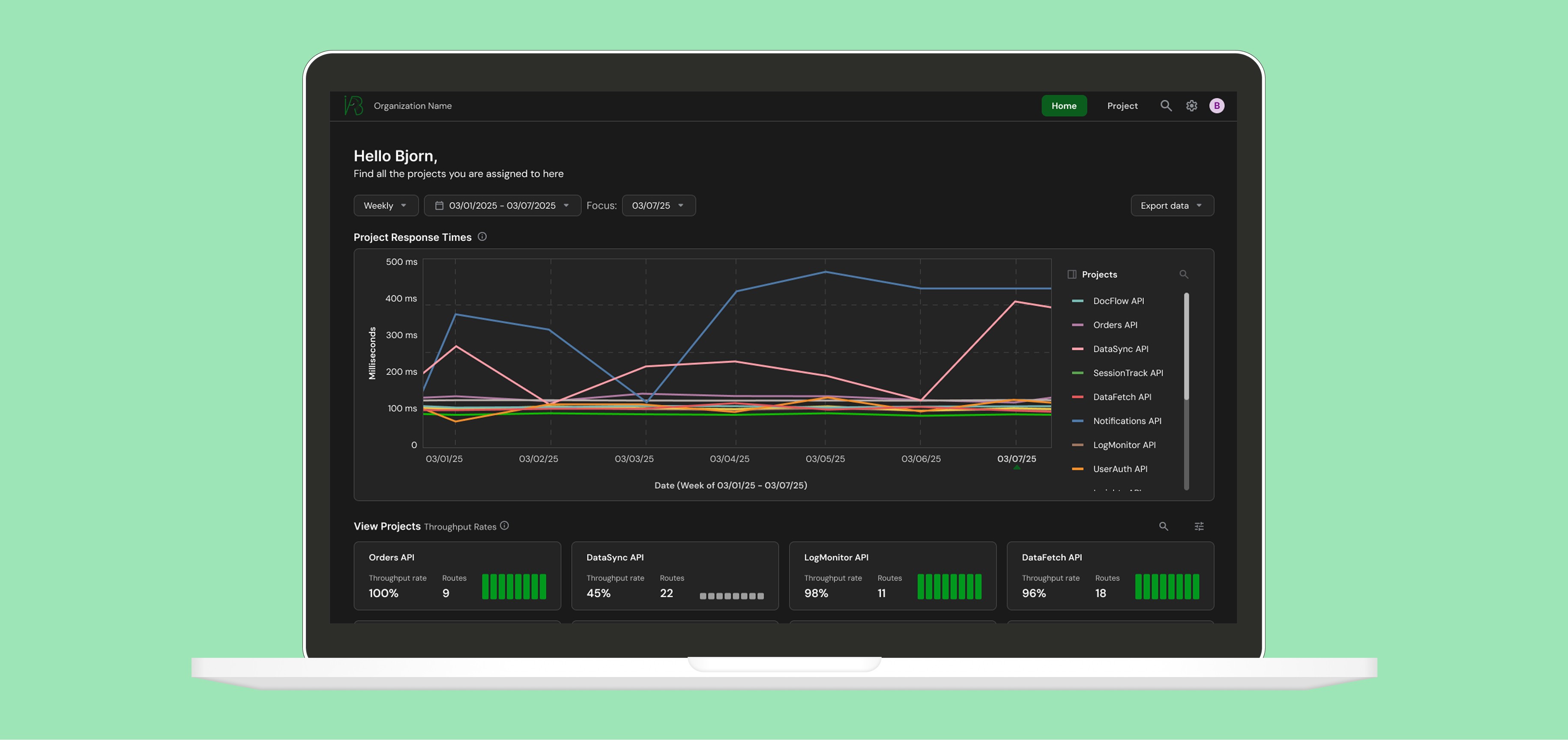
Designing a web dashboard for QA Engineers and Developers to improve their API response times
I was a UX Designer with Idrinth-API-Bench, an organization that seeks to help developers improve the quality of their APIs. I designed a web dashboard that visualizes API response times for product teams. I was responsible for researching, strategizing, and designing, as well as collaborating with the founder and organization members.
Background
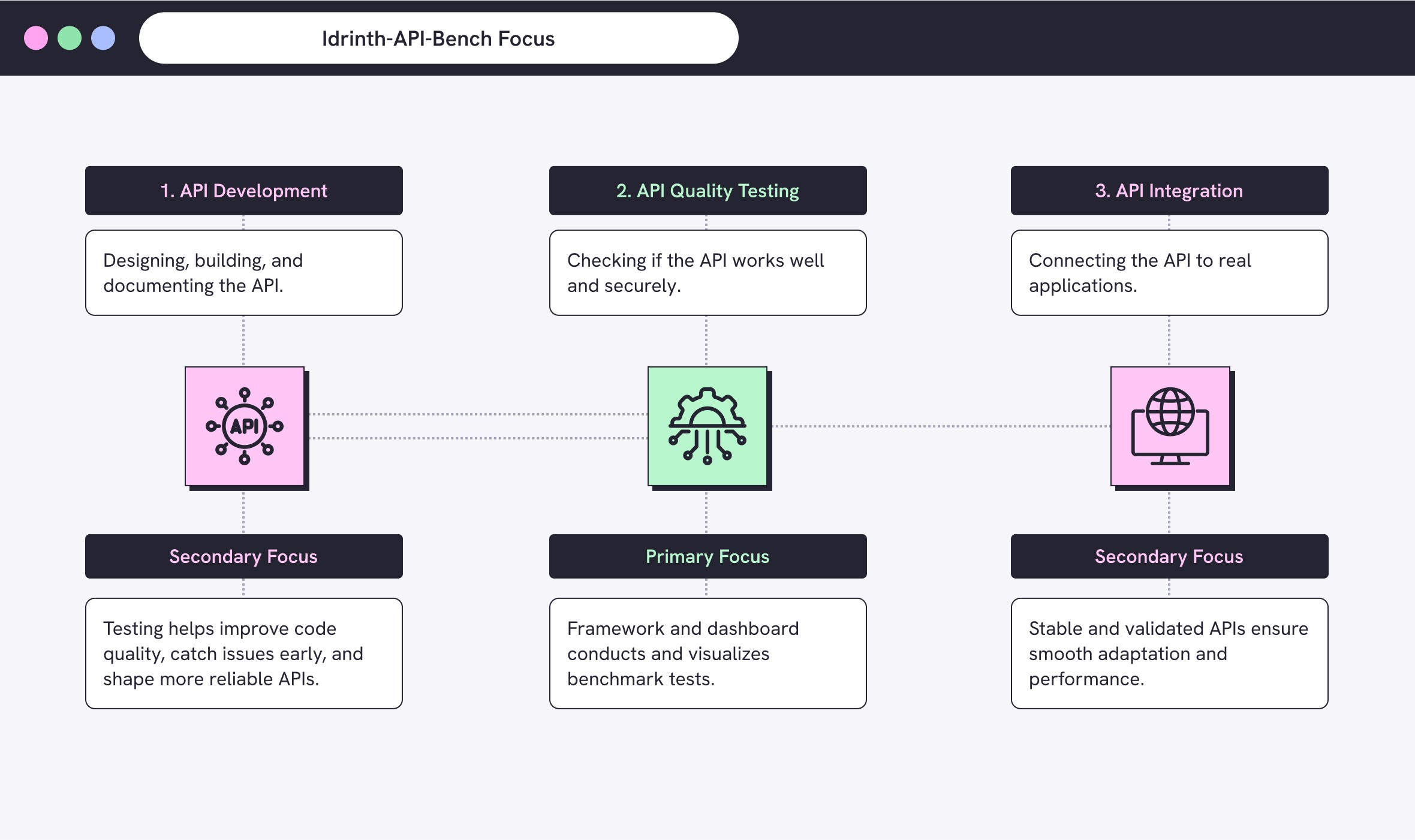
Idrinth-API-Bench is an open-source group that helps businesses build faster APIs
The Idrinth-API-Bench project is an open-source group of developers whose mission is to help other developers build faster APIs and better code. They offer devs a benchmarking framework that tests API response times to surface performance issues. Idrinth is expanding their impact to businesses with a beta web dashboard built for product teams. It integrates with their framework and helps product teams visualize API performance during testing to ensure the quality of their digital products.

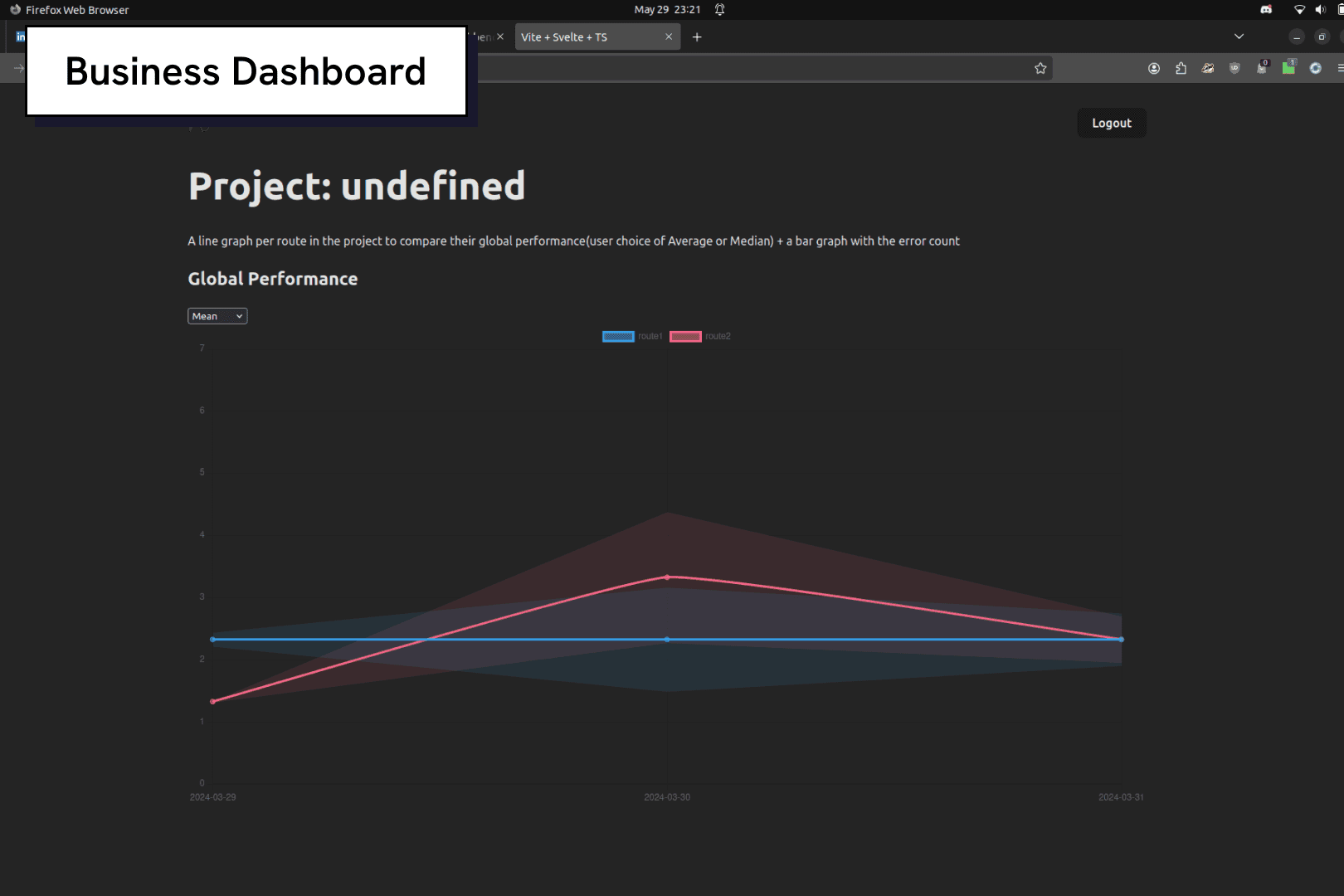
Testing APIs for fast response times are vital for product efficiency
APIs are the intermediary between different software applications. They dictate how applications communicate and exchange data, retrieving information within a fraction of a second. The faster an API is, the better. Idrinth’s framework measures that response time so product teams can spot performance issues and create reliable products.
BUSINESS CHALLENGE
Idrinth-API-Bench thinks their API monitoring dashboard isn’t delivering the right value or KPIs to businesses
The Idrinth team wasn’t satisfied with the current version of their web dashboard. They suspected it was missing key information or the right kind of data to be truly useful for product teams. As a team of mostly developers, they’re unsure how to move forward with a redesign. My task is to help uncover what their users actually need.
Problems with the API Web Dashboard
Lack of Feedback
The team hadn’t engaged QA Engineers, so the dashboard didn’t reflect real user needs.
No Testing
Designs weren’t tested, leaving usability and clarity unvalidated.
Visual Design
Lack of design system, resulting in visual inconsistency and no sense of brand.
MISSING USER FEEDBACK
The Idrinth team doesn’t have real feedback from their audience, making them unsure what to improve
Idrinth wanted to learn how product teams feel about the dashboard and how it can be improved. They had only tested it internally with their own Developers, so they didn’t have feedback from real users. The primary audience who would use this tool the most are Developers and QA Engineers, with a focus on QA’s. My goal was to learn what data these groups need to make it more useful.
QA Engineers
Monitor API performance over time and ensure systems meet reliability standards.
Software Engineer
Identify performance bottlenecks and optimize API efficiency in code.
Developers and QA Engineers prioritize response times and error rates… but what else?
I started with market research to get a sense of how API dashboards visualize performance data. Then I interviewed users to learn what matters most during API testing. Developers and QA Engineers consistently pointed to response times and error rates as their top priorities. While I knew I didn’t have the full picture yet, I began sketching early concepts with the expectation that deeper insights would emerge.
"What metrics matter the most to you when testing APIs?"
“Response times”
100%
8/8 users said this.
“Error rates”
75%
6/8 users said this.
“Frequency”
75%
6/8 users said this.
RESTRUCTURING data
Learning how the dashboard scales from big-picture organizational overviews to API specific data
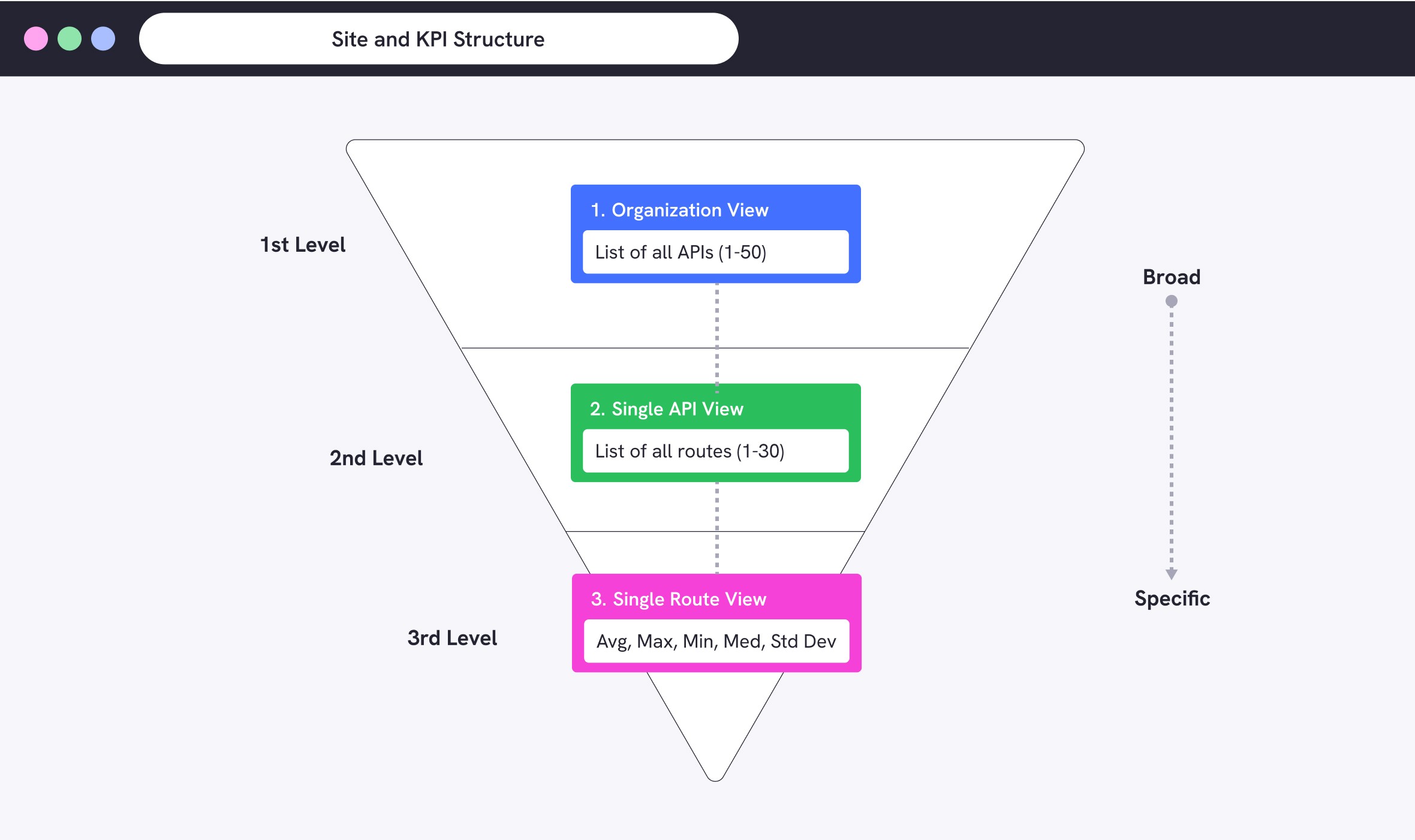
I met with developers to better understand how the dashboard works technically. It has three main pages: Organization, API, and Route views. Each organization also has an optional sign-in page for team members. Data starts broad at the organization level and becomes more detailed as users drill down into specific APIs and routes.
Enhancing a basic dashboard to highlight key metrics and and improve scannability
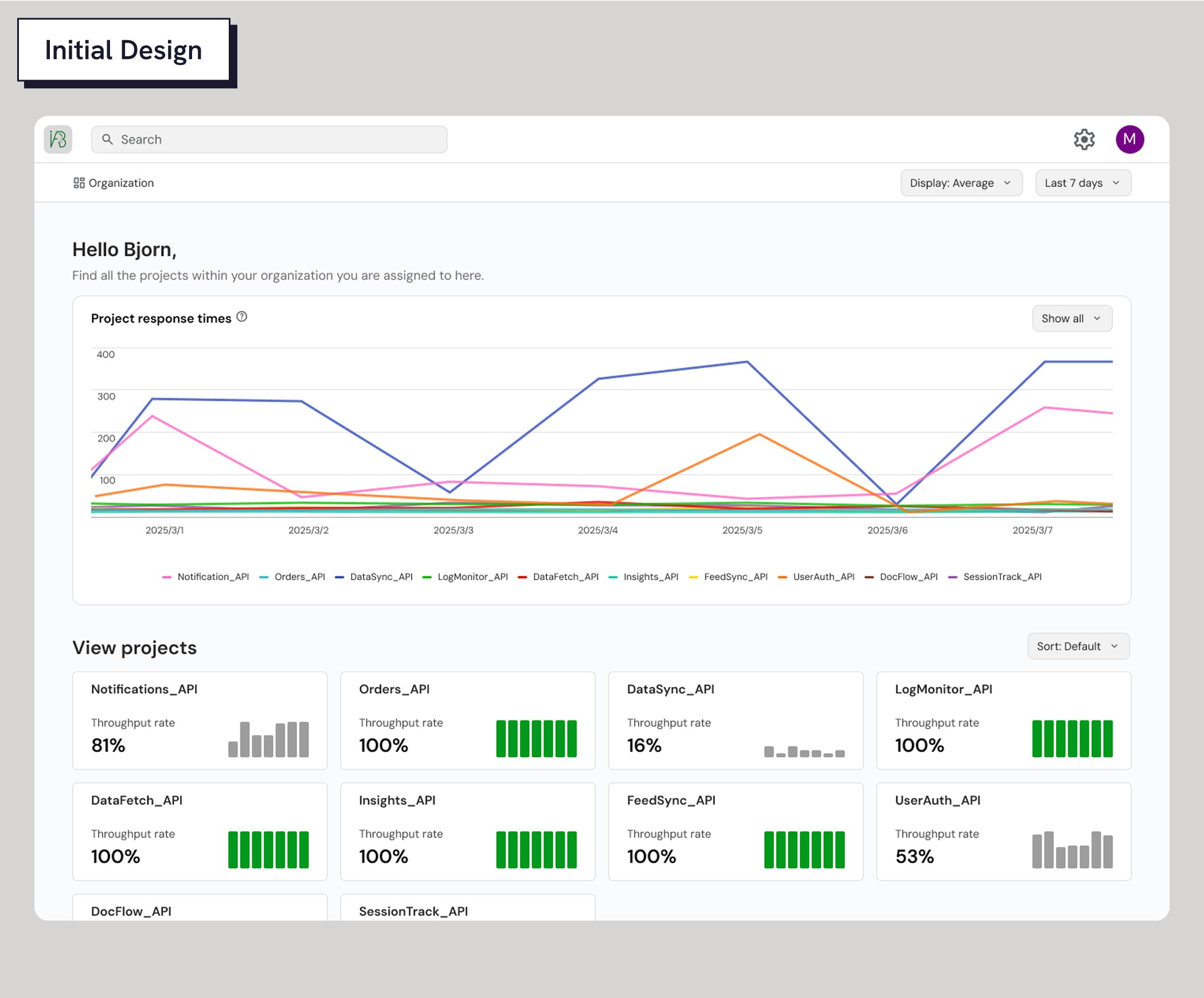
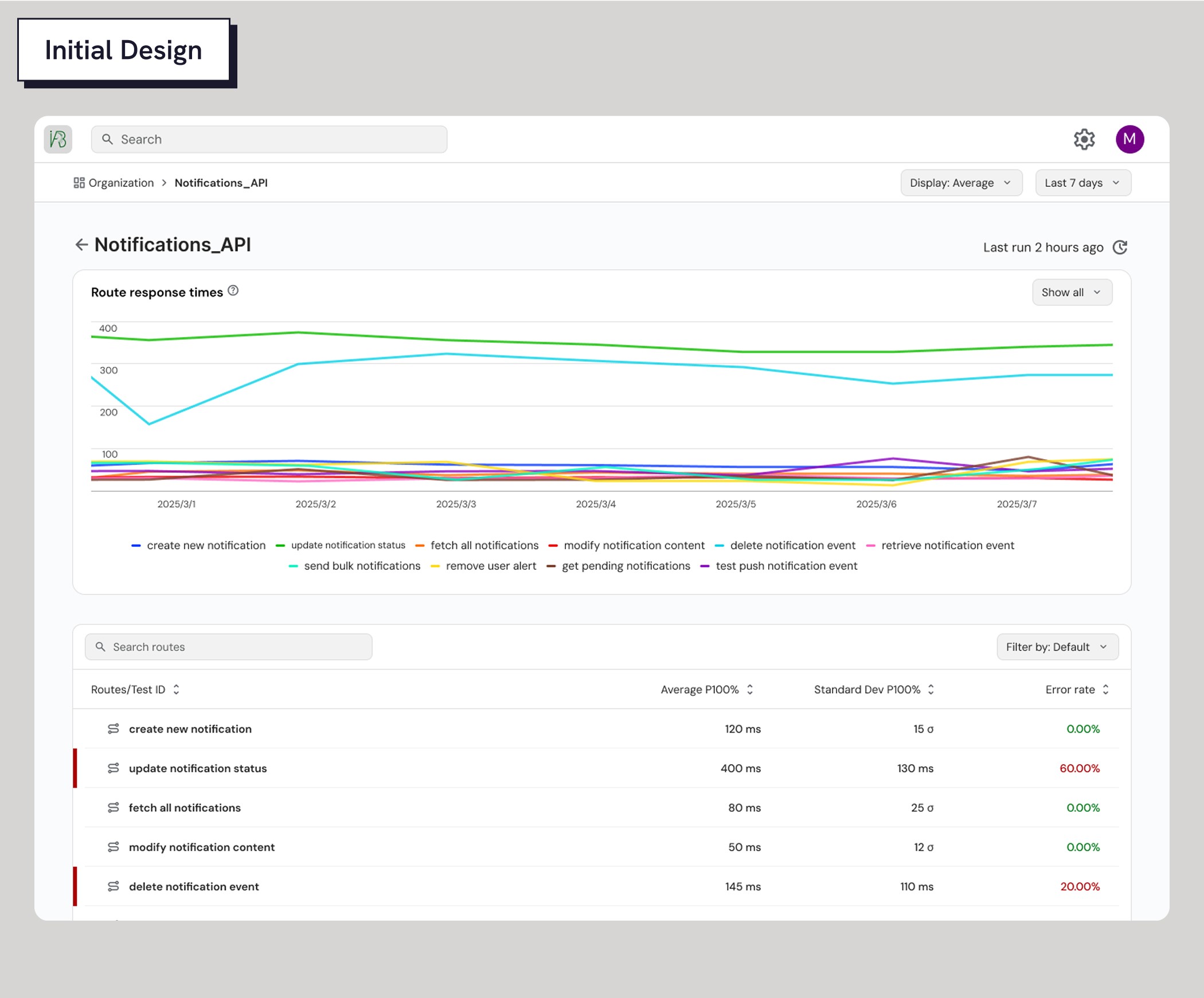
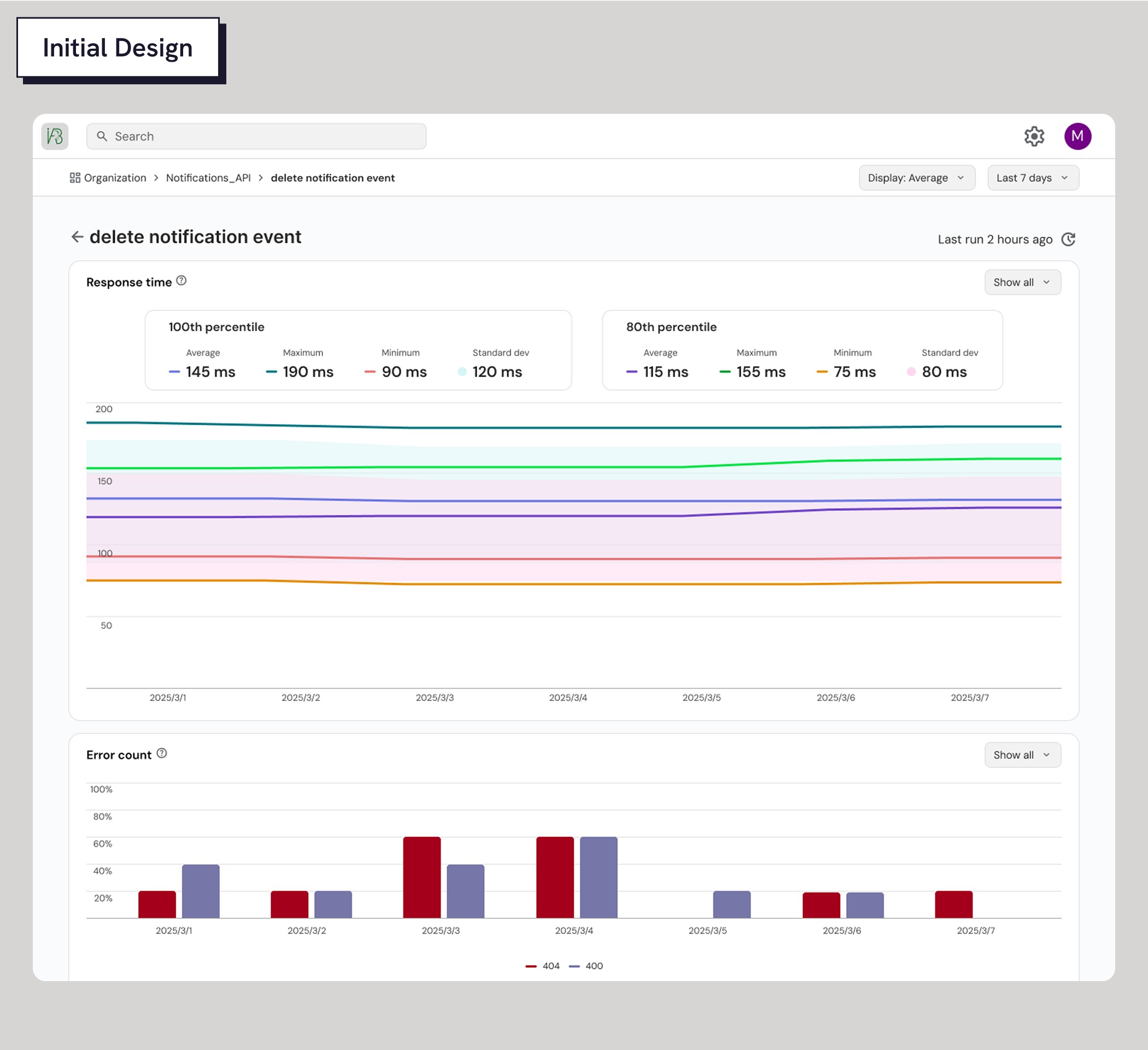
The original dashboard was minimal with just a line chart showing response times and a page title on each page. I focused my redesign on surfacing more useful information and making the dashboard feel dynamic. I added data cards and tables for quick scanning, filters to help users parse the data, and a bar graph to highlight error rates. Along the way, I also refined Idrinth’s visual branding to give the tool a clearer identity.
View 1: Organization View
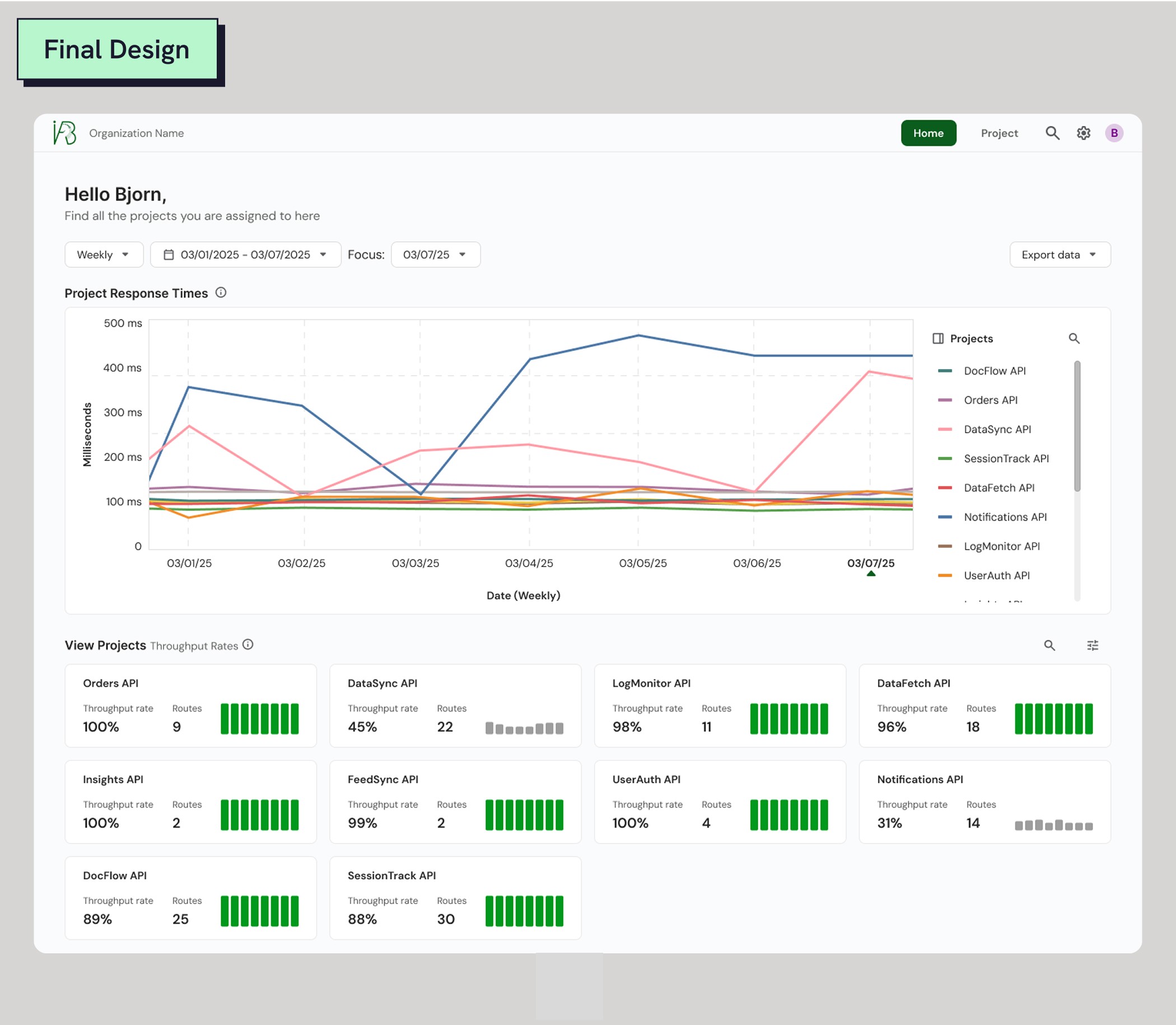
A high-level view showing performance for all APIs across an organization. The line chart shows response times over the course of time and cards display throughput rate. This information helps teams spot anomalies, compare environments and monitor trends.
View 2: API View
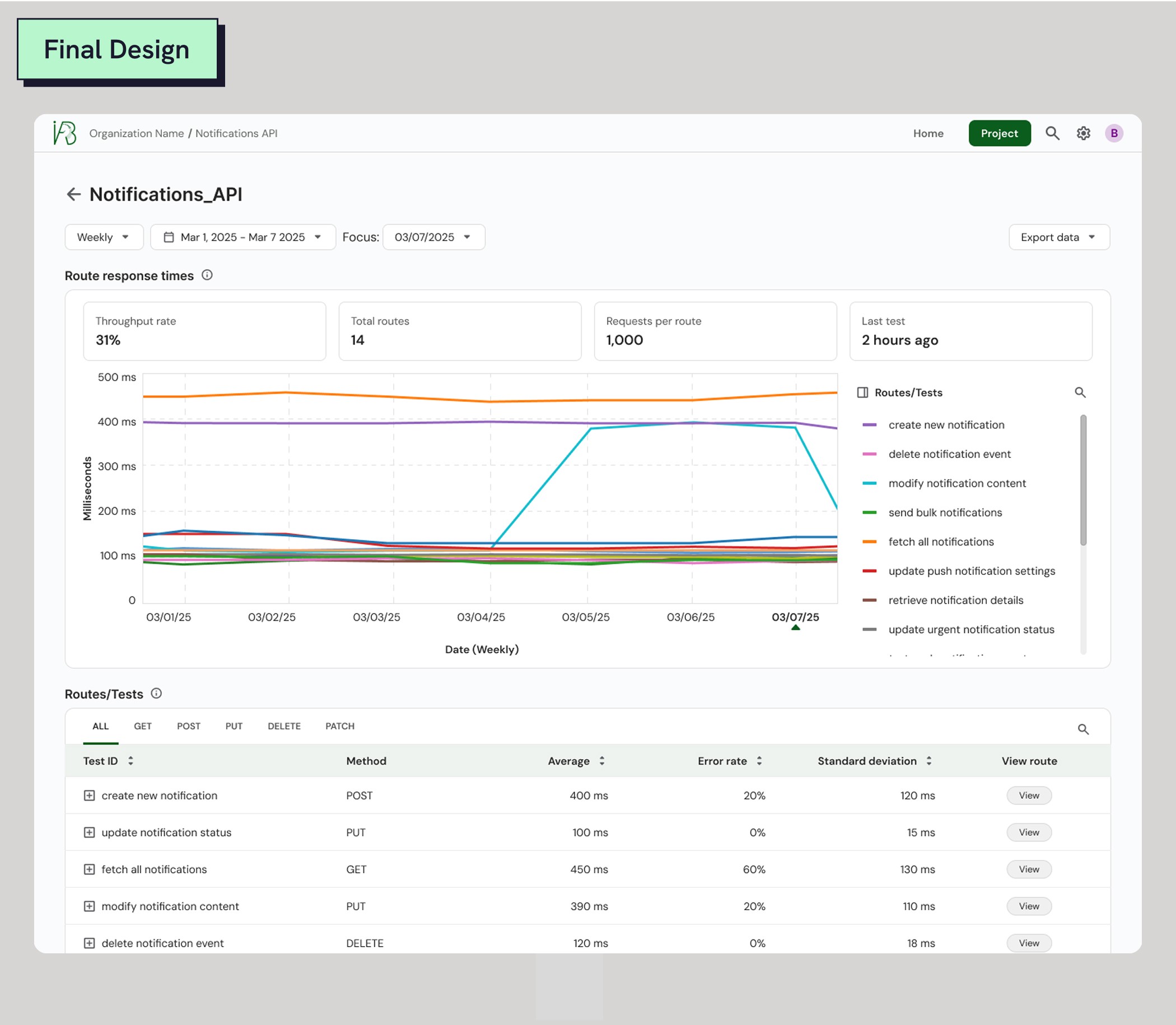
This view zooms into a specific API to track its individual performance and recent activity. Here QAs and Developers can see the performance of all routes attached to an API, test timestamps, response times, and error rates.
View 3: Route View
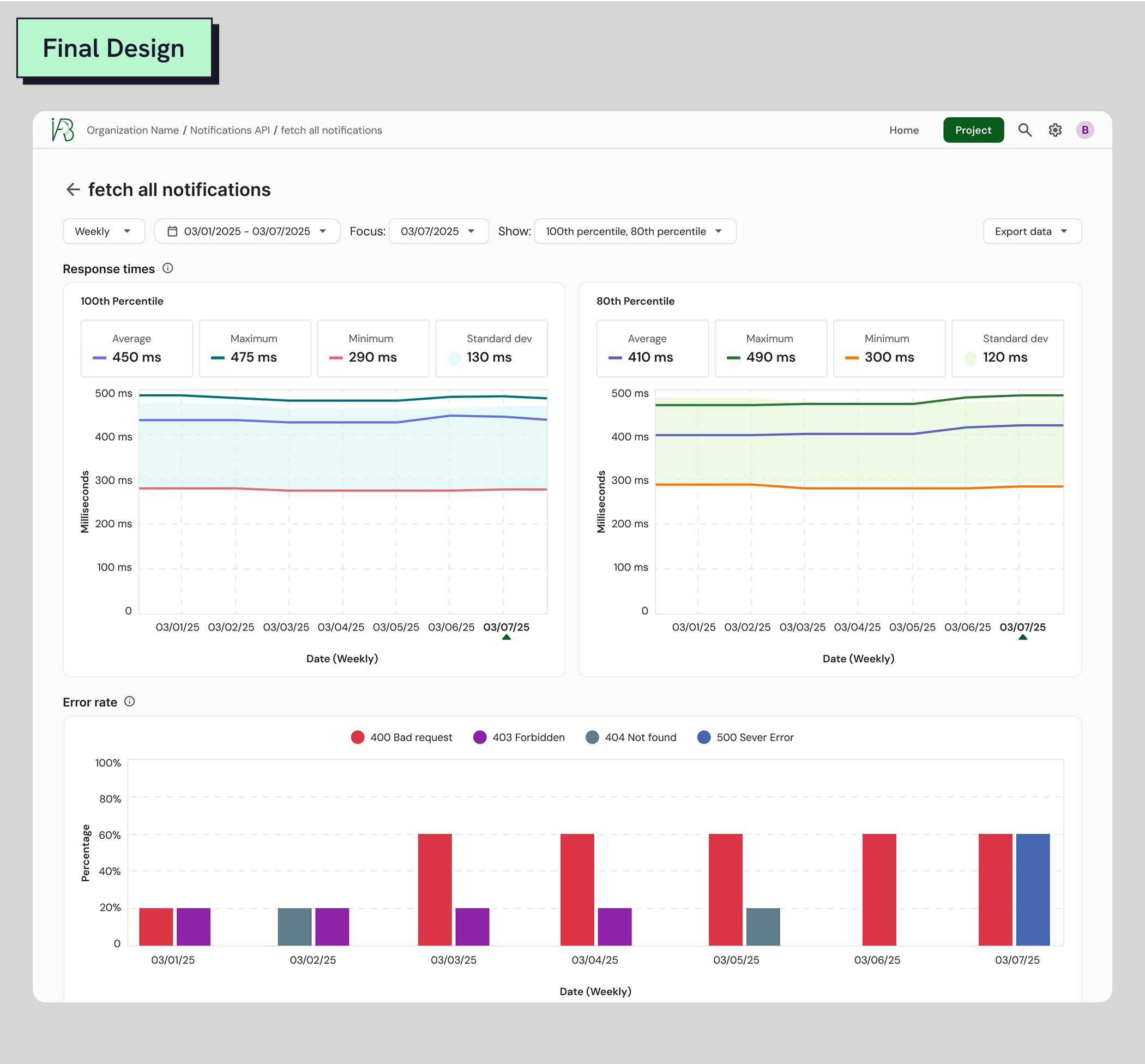
The most granular view, focusing on a single route within an API. Here surfaces detailed test results about response times from maximum, minimum, average and standard deviation, as well as error rates and error types.
IMPROVEMENTS THROUGH FEEDBACK
QA Engineers need better filtration and context to better communicate with Developers
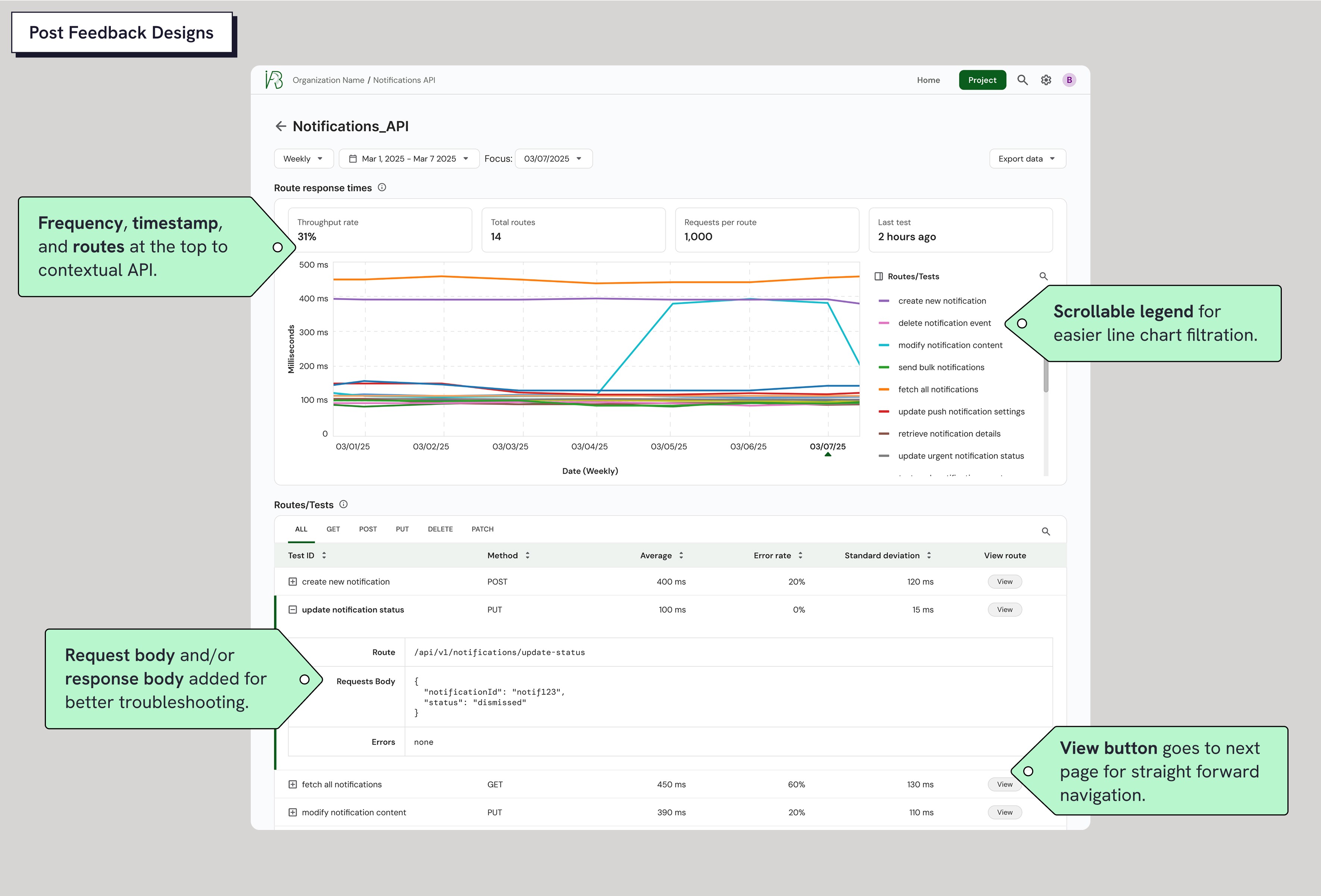
I tested my designs with 2 Developers and 3 QA Engineers. QA’s emphasized the need for more contextual data, like timestamps, request/response bodies, and frequency, to better interpret test results and communicate effectively with Developers. Testing also revealed that QA’s may monitor up to 50 APIs, far more than the 1–20 I initially assumed. To address this, I reworked the chart filtering experience by adding a scrollable legend, making it easier to parse and navigate large datasets.
Overcoming design roadblocks through collaborating with developers and the Founder
Implementing feedback from QAs and Developers came with challenges. I was still learning technical terms amidst designing and wasn’t sure of all my constraints. I workshopped with the Idrinth team to share the feedback I gathered, and together we figured out which changes were feasible and not.
Final 1: Organization View
An overview of API performance across the organization. A line chart shows response times over time, paired with a scrollable legend for filtering. Summary cards display throughput rate and total endpoints per API.
Final 2: API View
Focused on a single API, this view shows response time trends, request frequency, timestamps, and number of routes. A scrollable legend supports quick filtering, while the table below lists each route with method, request body, and response body.
Final 3: Route View
A detailed breakdown of an individual endpoint’s performance. Metrics include average, max, min, and standard deviation of response times, plus error rates and types split between the 80th and 100th percentile for clearer insight.
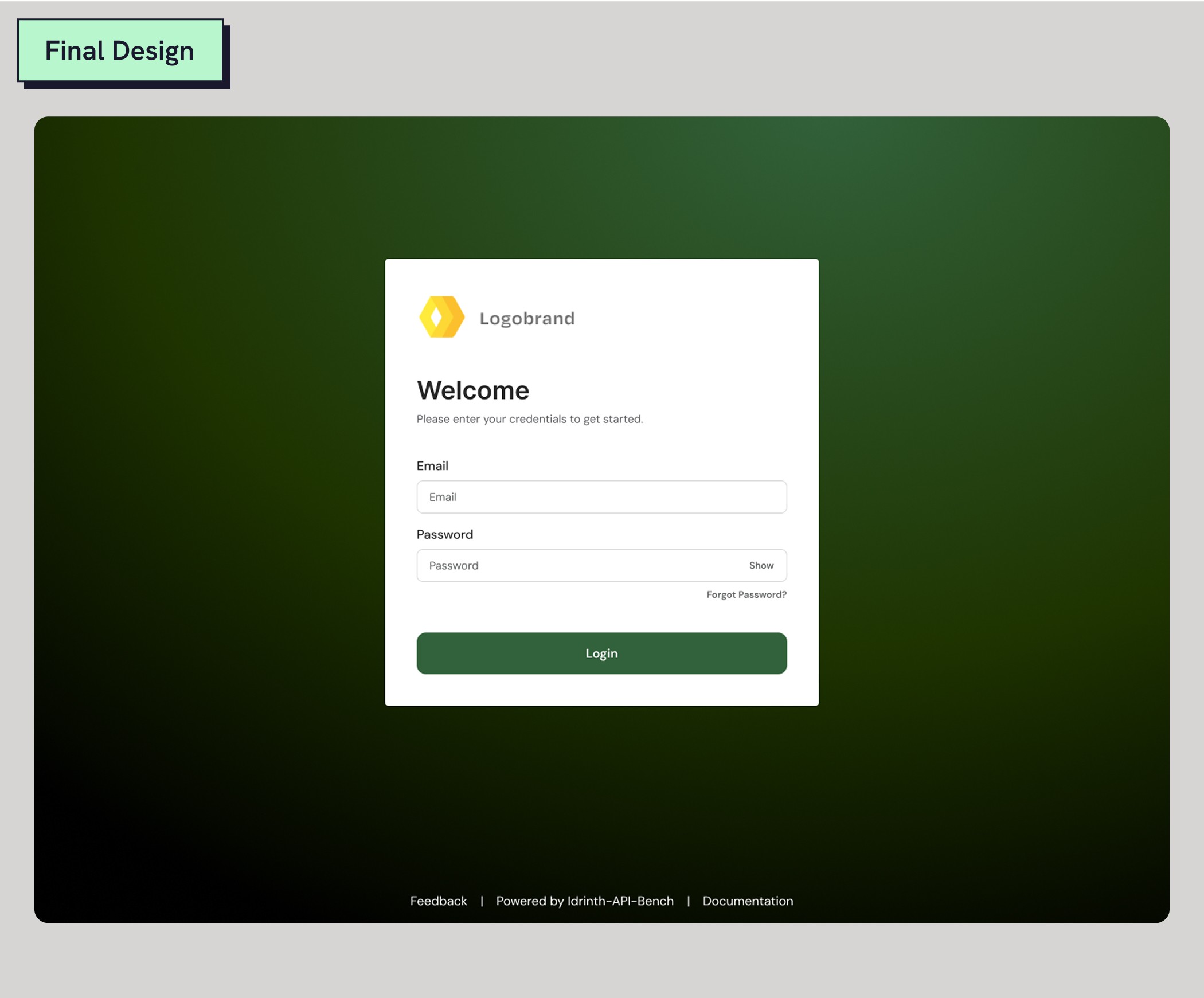
Final 4: Log-in Page
Organizations receive a custom login page for their team. Alternatively, users can skip sign-in and access dashboards directly via a private link.
IMPACT
Outcomes
I met with the founder and his team to make sure all of my designs were within their technical constraints. I conducted a final round of usability testing with 2 Developers and 3 QA Engineers. The founder told me he was especially impressed by how I uncovered insights he wouldn’t have found on his own, validating my designs and research tactics. View a preview of the design system I made here in this link.
Success Rate
Users completed a task identifying underperforming APIs and performed with a 90% success rate.
Confidence Levels
Post-completing the task, users rated their confidence in evaluating API performance with this tool at 4 out of 5.
Reflection
Key takeaways
I joined this project because of a previous experience I had working on a developer tool. I felt inspired to challenge myself to learn something new. There was a steep knowledge gap for me to overcome at first since I knew nothing about APIs. But what helped me was doing research to educate myself, and having an open line of communication with the developers. Although my designs weren’t implemented due to a shift in priorities, I ended the project with a final call where the team complimented my work reassuring me that I delivered strong designs.