AI Assistant that Helps Factory Team Resolve Power Outages
Generative AI
Data visuals
Team
Design Manager
UX Designer (Me)
Business Strategist
My Role
Research
Conceptualizing
Designing
Tools
Figma
Duration
3 months
PROJECT Overview
AI Assistant that reimagines how factory teams communicate during crises
The client is a multi-business model manufacturer that produces industrial chemicals, and buy & sells electricity. However, severe strong weather was causing major power outages at their facilities. I crafted an AI assistant to help them track and mitigate outages by encouraging team collaboration. I was responsible for research, conceptualizing, design, and cross-collaborating.
Disclaimer: This case study has been anonymized to adhere to NDA guidelines, for details on my work reach out to me.
Background
Extreme weather is causing major power outages at a factory impacting their production & energy business
My client owns several acres of land filled with factories. They use their facilities and energy reserves for their own chemical production, and lease out the rest to smaller manufacturing businesses. But severe snow and rainstorms were leading to ongoing power outages, disrupting chemical production, cutting off electricity to tenants, and threatening overall operations.
Factory Blackouts
The power loss shuts down machinery and critical systems, bringing operations to a complete stop.
Slowed Production
Interruptions in power delay workflows and reduce output, disrupting manufacturing timelines.
Tenant Conflict
Outages impact tenant operations, leading to frustration, complaints, and strained client relations.
BUSINESS CHALLENGE
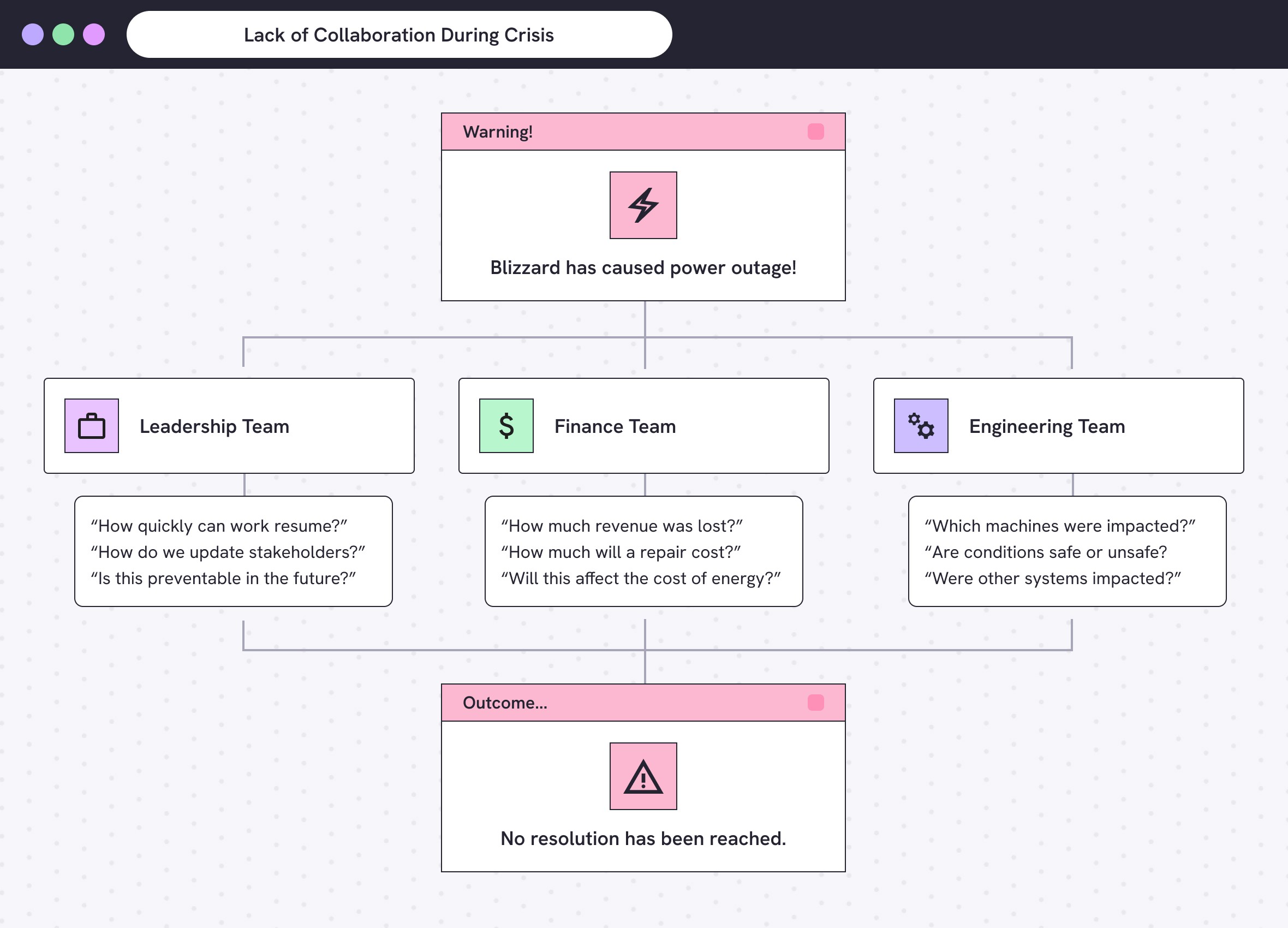
Misaligned priorities and poor communication between the Leadership, Engineer, and Finance teams leads to collective inaction
The leadership, finance, and engineering teams are responsible for keeping business operations running smoothly. But they had been struggling to resolve the growing number of disruptions. Outages would occur and not everyone was notified at the same time. Everyone scrambled to become aligned, yet each group had their own problems they wanted to prioritize first. This ineffective communication led to major revenue loss and nothing being done.
FRAGMENTED METRICS
Seperate dashboards help teams meet their independent goals, but doesn’t support cross-collaboration
Leadership tracks quarterly goals; Finance watches spending and revenue; Engineering monitors machinery usage. Each team has a custom dashboard to track and ensure their own business outcomes. Yet there was no unified system of monitoring and exchanging information to keep everyone aligned.
Leadership Team
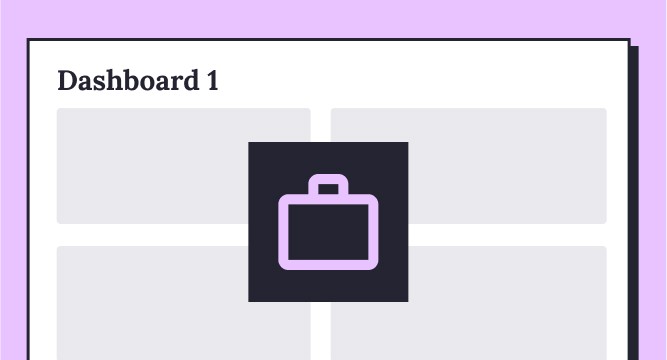
Reviews the efficiency of overall operations and downtime.
Finance Team
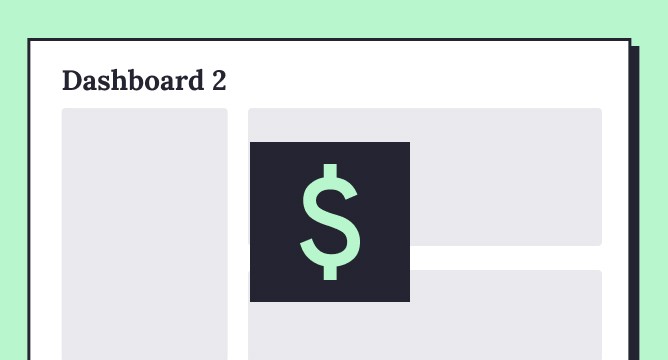
Tracks the cost of energy and revenue from business operations.
Engineering Team
Monitors how much energy the facilities and machines use.
TURNING INSIGHTS TO ACTION
Redesigning an unused AI assistant into a powerful tool for real-time factory insight and unifying team communication
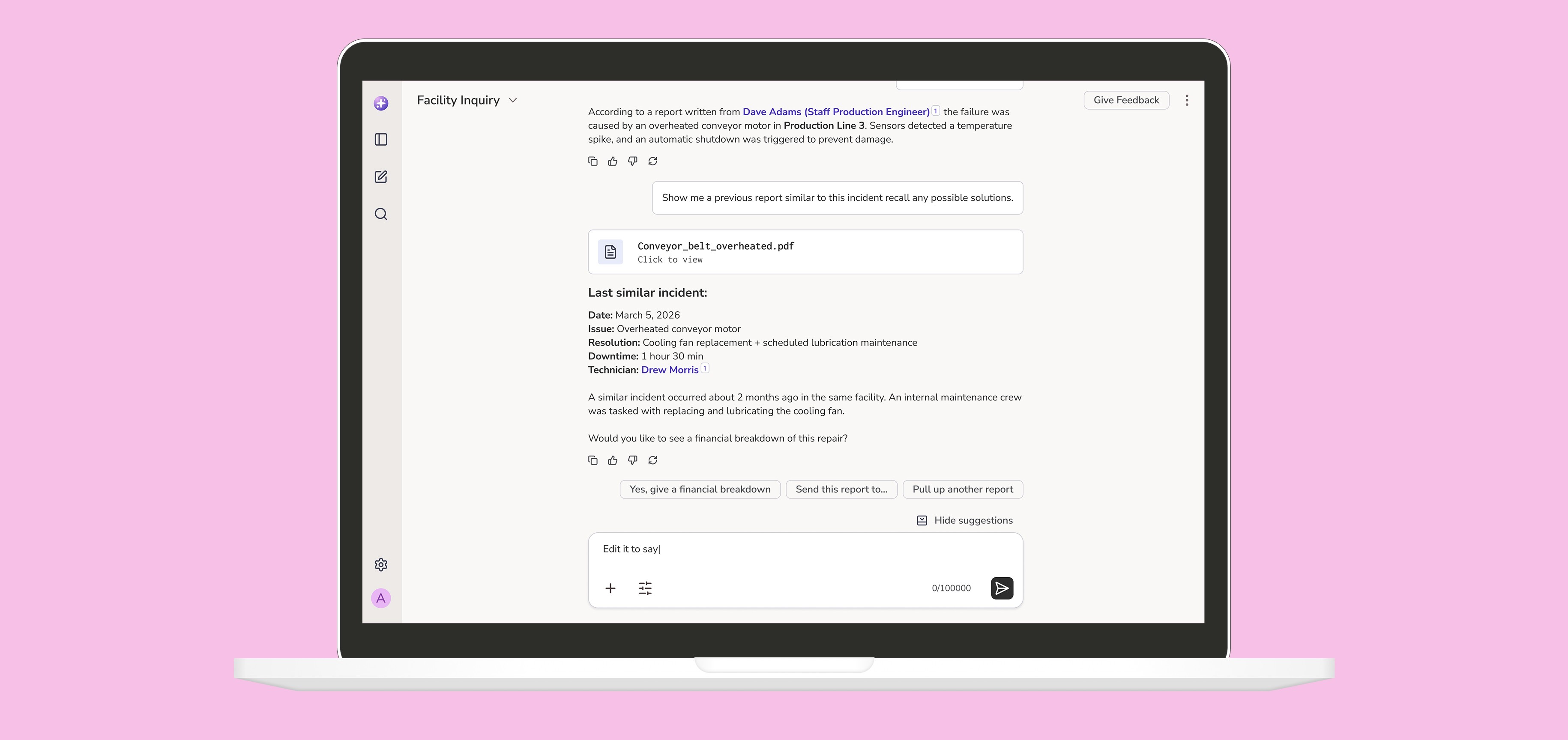
Initially, I was tasked with redesigning the three dashboards into one for better collaboration. However, auditing their dashboards revealed a hidden tool that was more powerful. An AI assistant called “Irene AI” built into their Engineer and Finance dashboards. It’s a chatbot that’s smart enough to read real-time factory data from machine sensors like: boiler temperatures, conveyor belt speed, or energy consumption. I planned to redesign it to not only monitor their factory, but also alert them of outages to make collaborating easier.
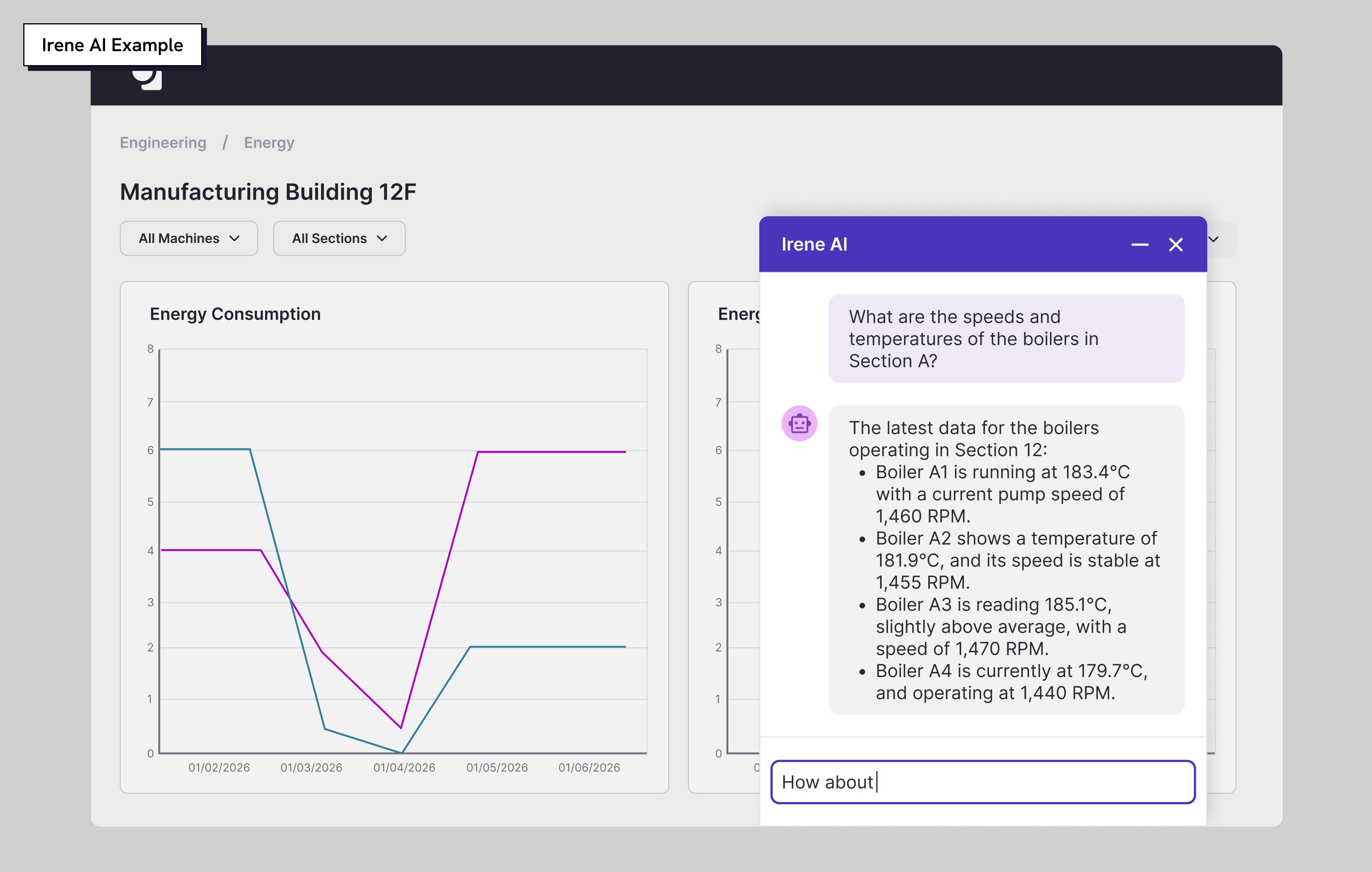
Transforming responses to be visual, interactive, and conversational to match how teams process information
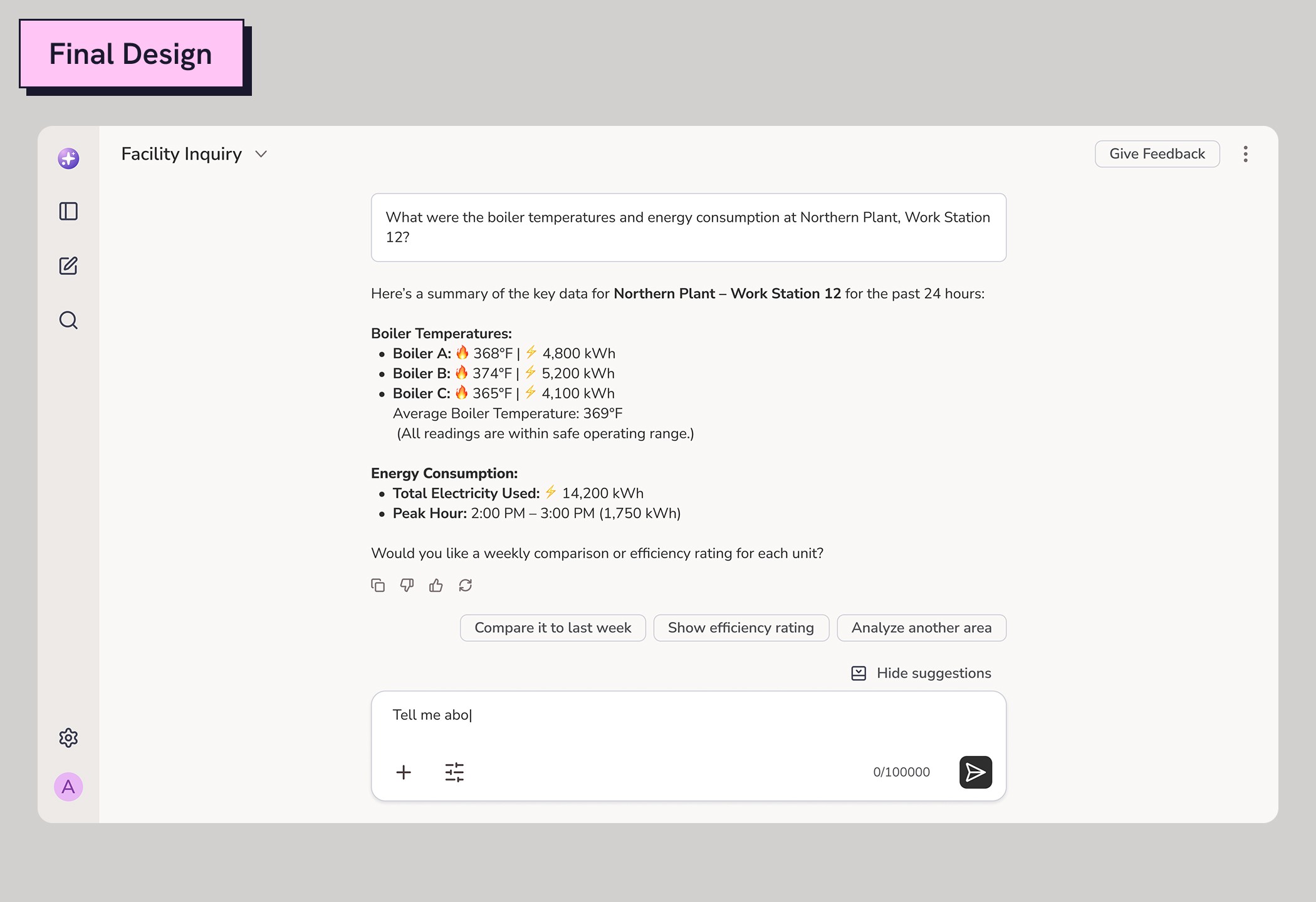
No one used Irene AI because it’s visually inconvenient. Its responses relied heavily on text with minimal formatting to relay information. People found it easier to analyze information through their dashboards. So I planned to make Irene much more engaging by introducing new visuals, hierarchy, and interactive elements to make data analysis comprehensible.
MAKING COLLABORATING INTELLIGENT
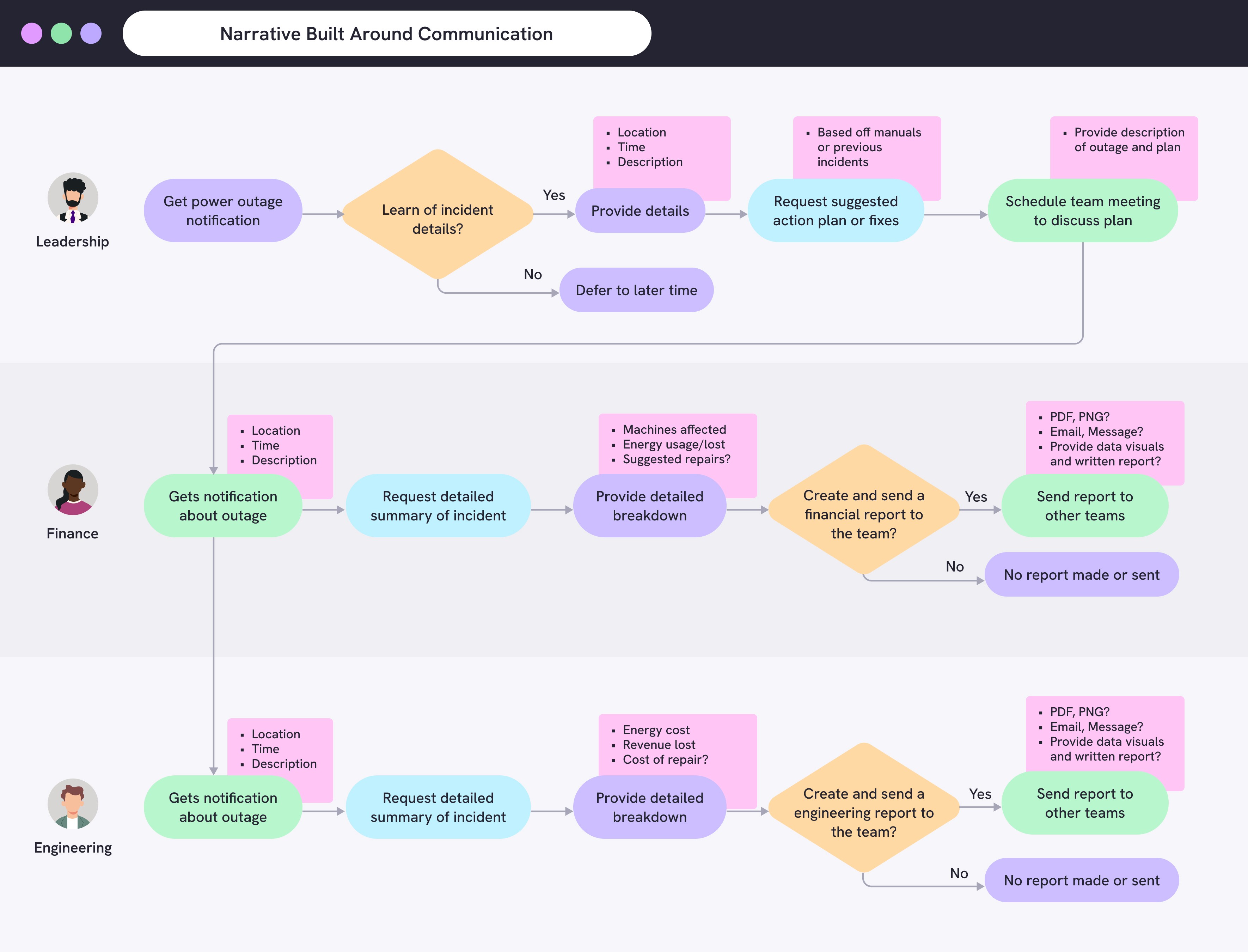
Illustrating how AI connects teams during crises through alerts of power outages, shared insights, and facilitating communication
While the client was open to a redesign, the challenge was showing how AI was the solution to their communication issues. I crafted a user flow to illustrate this: Starting with the assistant proactively alerting one or more teams about an outage. It shares relevant insights and can be prompted to pass that information via message, email, or meeting to other teams to keep everyone aligned. As it moves between groups, insights are tailored to their priorities.
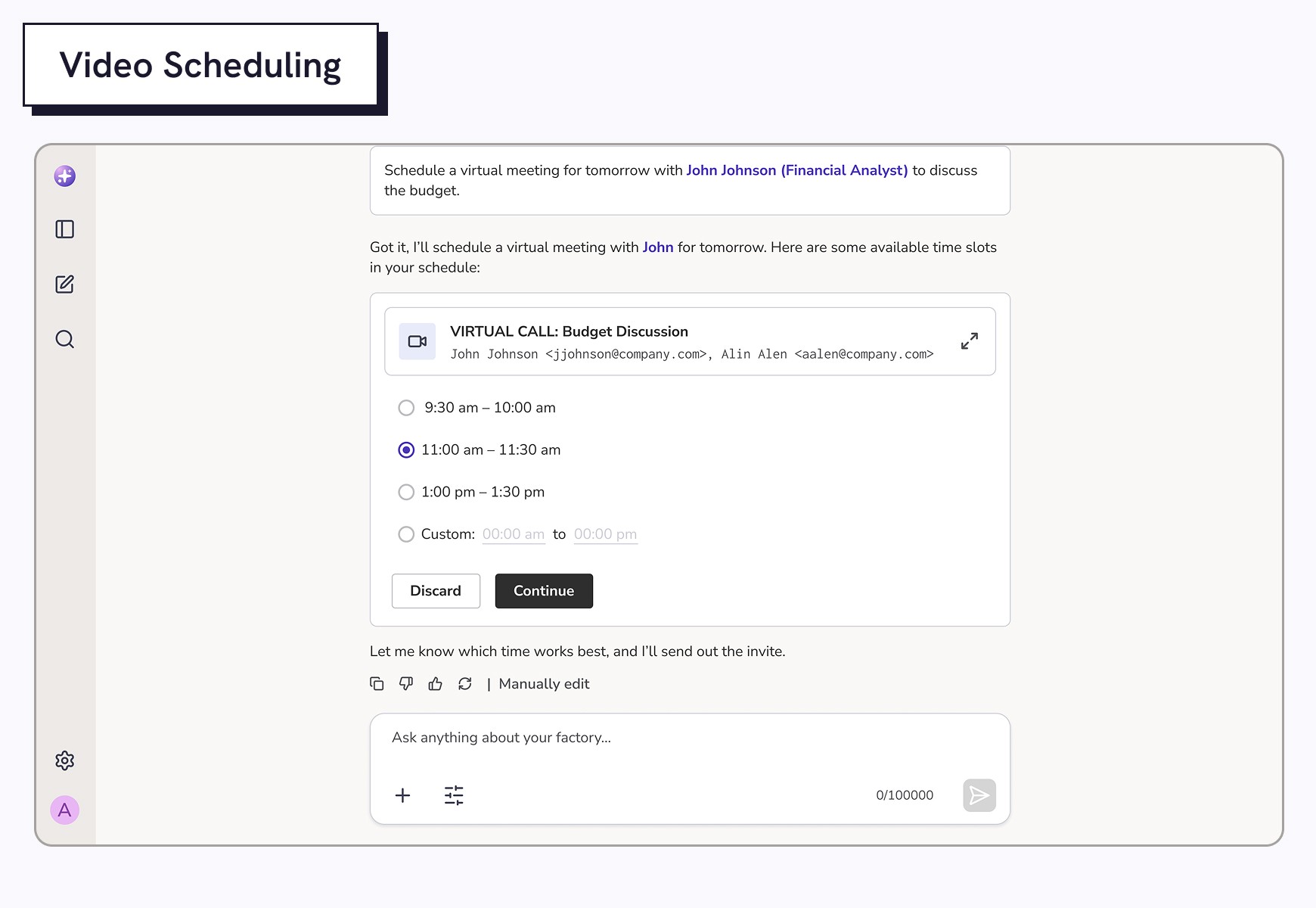
Reshaping user prompts and how system actions are delivered for more AI dynamic interactions
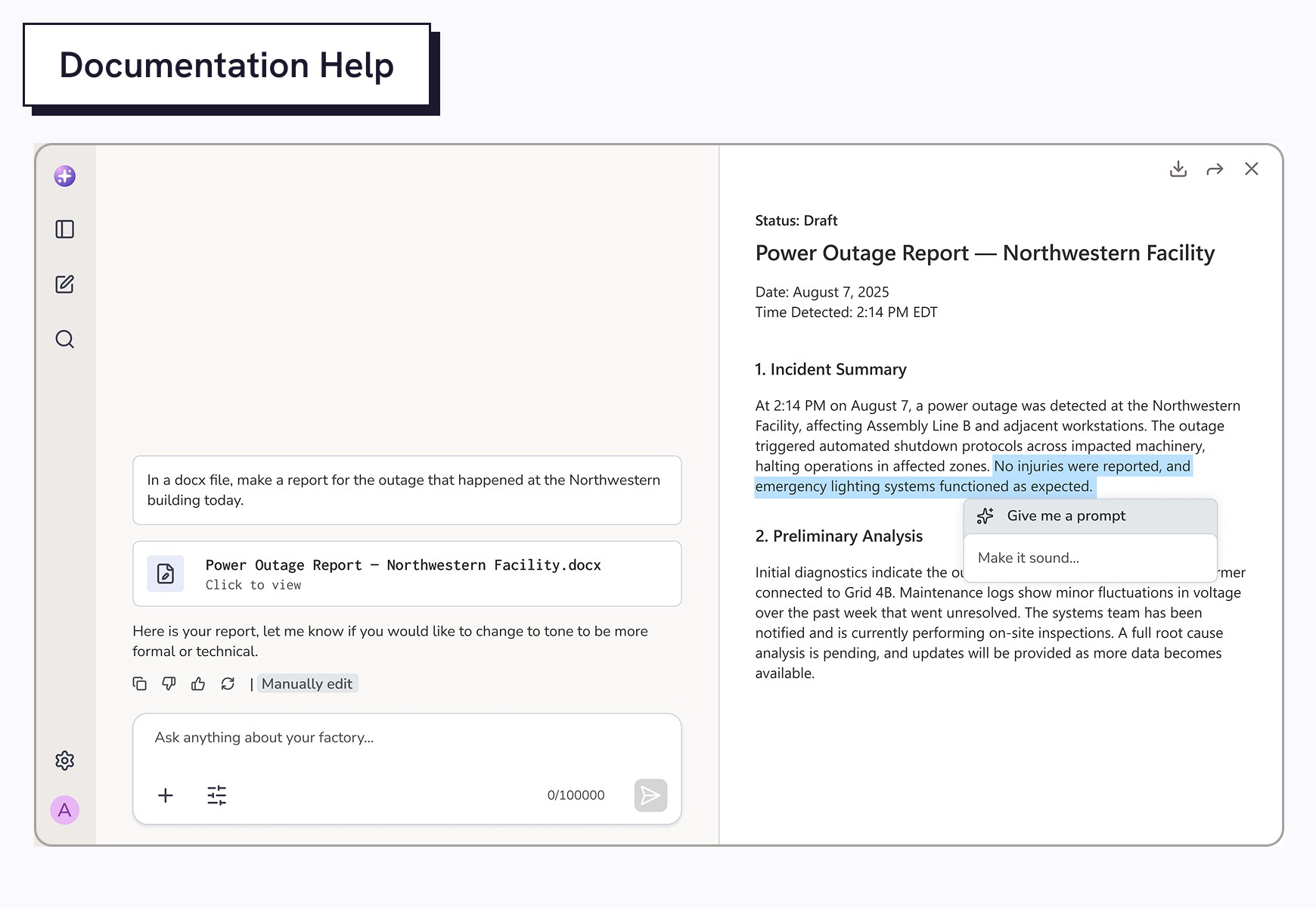
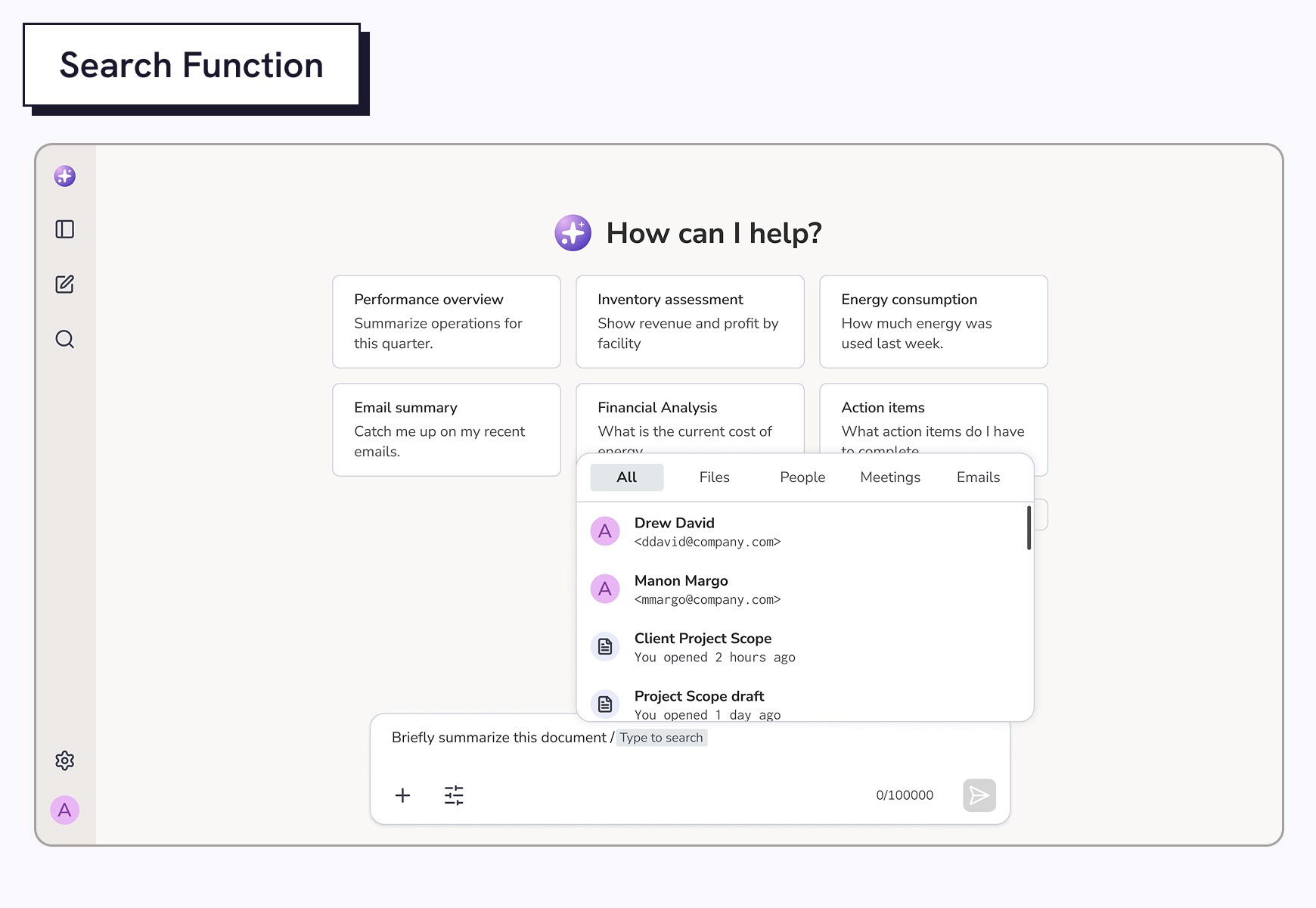
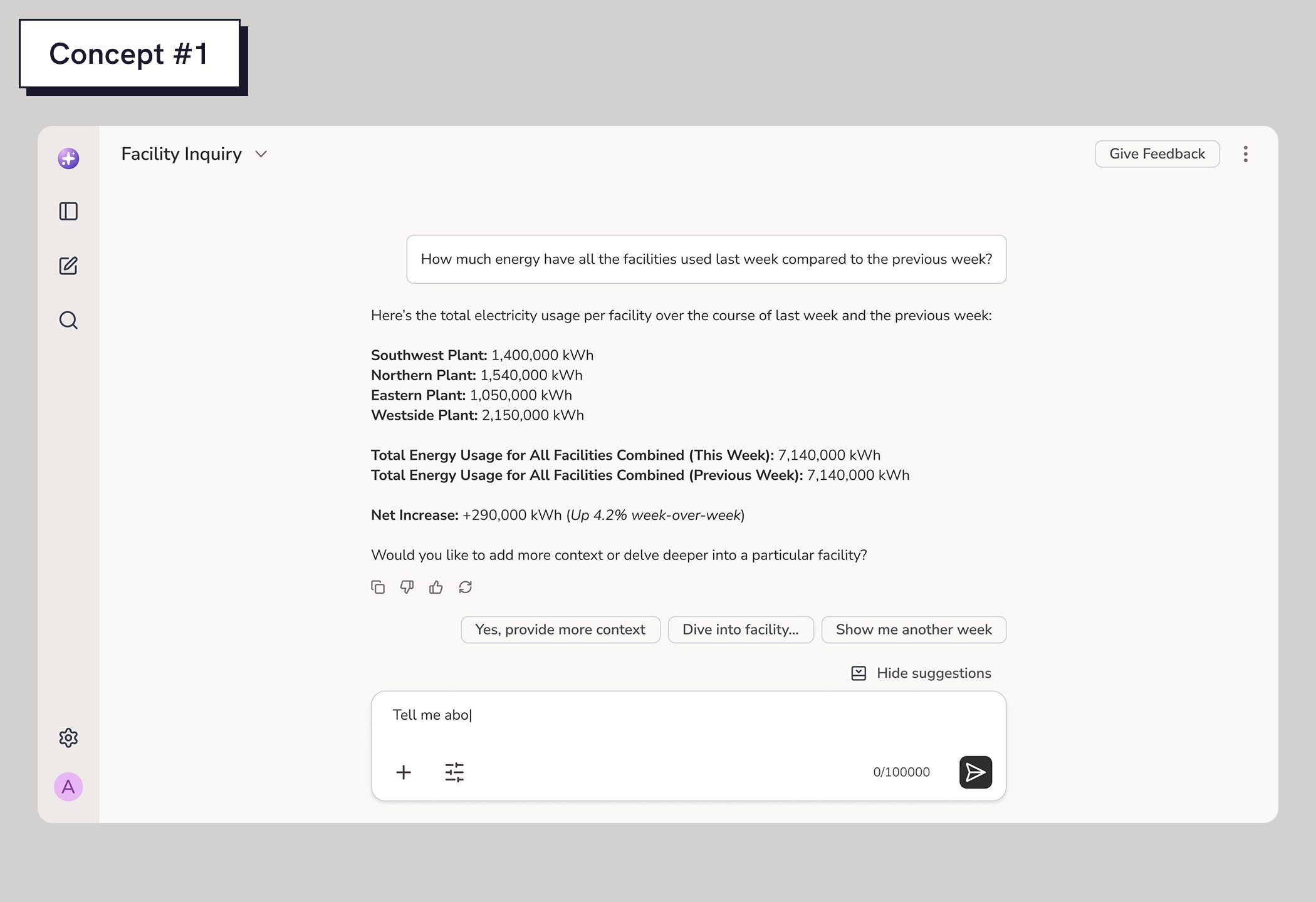
I started exploring how Irene could move beyond basic formatted text responses. What does it look like when AI schedules a meeting, sends a message, or pulls up a report? I played with both structured text and visual elements like buttons, cards, and charts to make interactions feel more dynamic and team-oriented, so users could rely on Irene like a real collaborator.
Demonstrating how cross-functional teams benefit from a shared view of IT and IoT data
I set out to show how Irene can unify their data and assist in decision making by combining IoT and IT data. Team members can monitor live machine performance to see incidents, and at the same time pull up past reports, manuals, or repair logs to view previous fixes. Having the full context of their data will allow them to find solutions and take action faster.
IoT Machine Insights
The AI assistant can read and interpret raw machine data to convey data such as: electrical consumption, production speed, machine temperature, thereby helping teams identify operational inefficiencies or patterns they may miss.
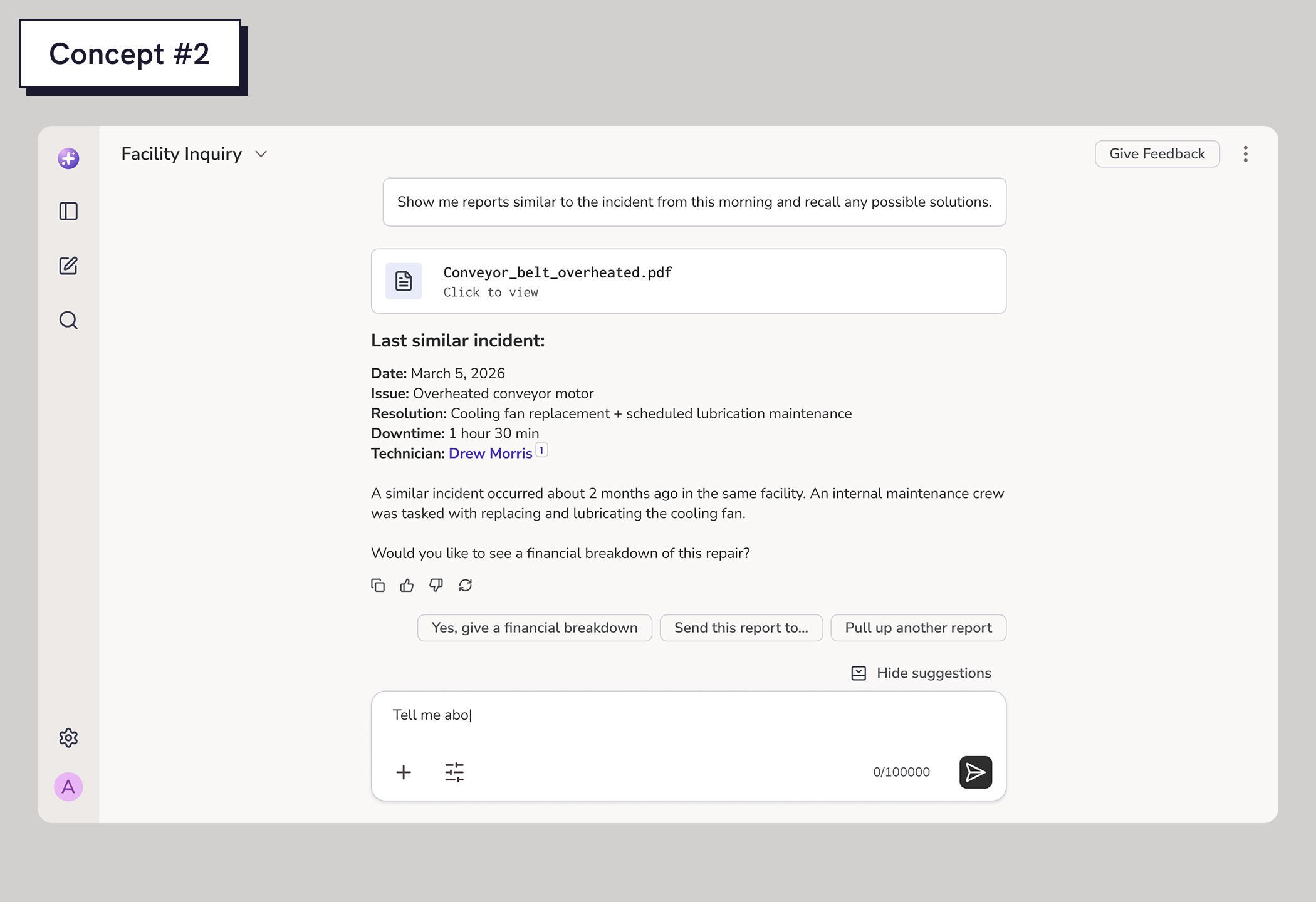
IT Data Analysis
The AI scans digital infrastructure like system logs, spreadsheets, and manuals to connect machine performance with past incidents, financials, and solutions, giving teams a fuller picture of their operations.
VISUALIZING PERFORMANCE METRICS
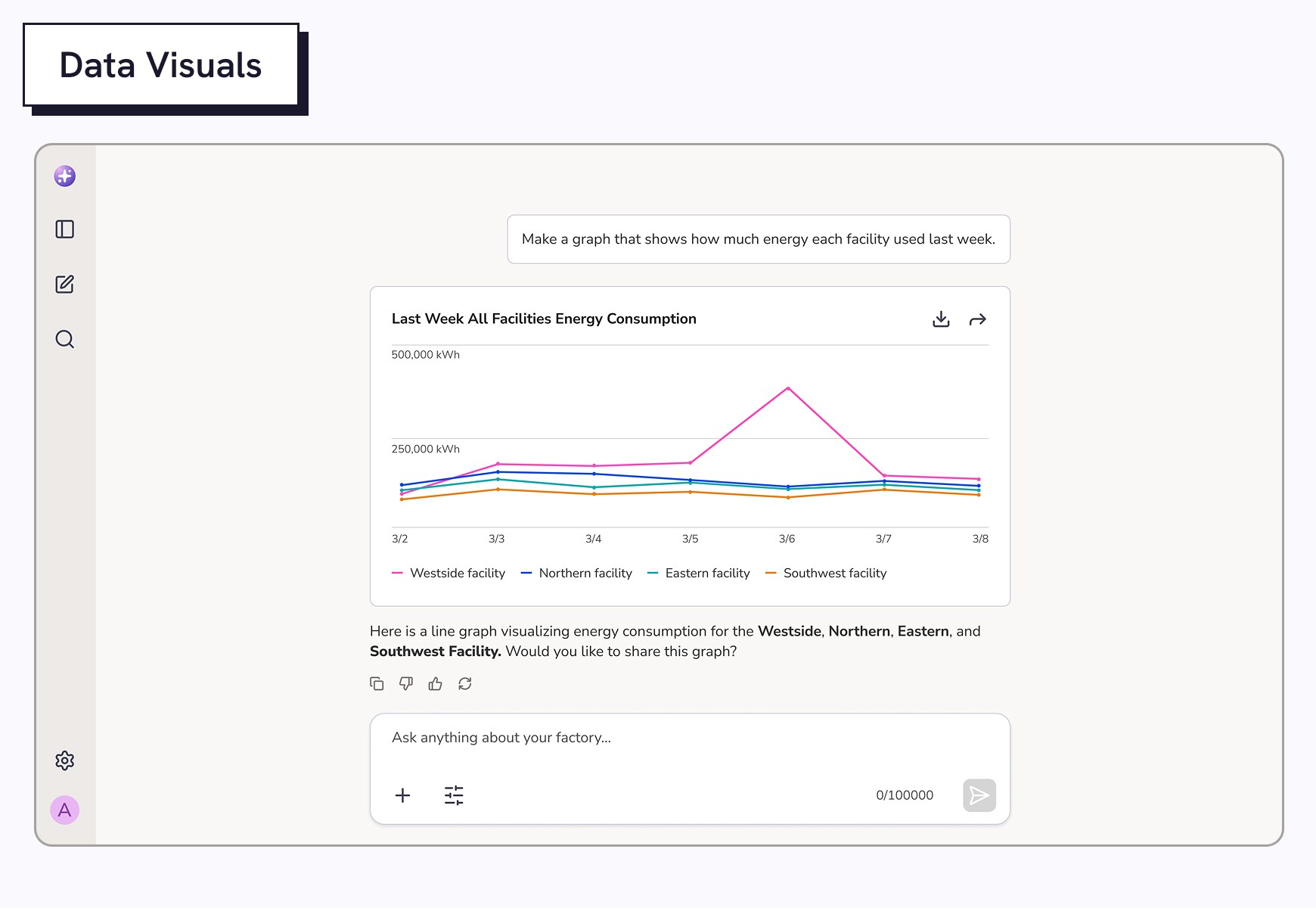
Exploring data visuals in AI responses to make dense information easier to understand
Stakeholders suggested the assistant could be even more visual to mimic their dashboards. In cases where performance data is too dense to read, the AI could respond with data visualizations instead of text responses. I how charts like line graphs, bar graphs, and tables would look. Developers suggested small visual changes to keep visuals within technical constraints.
Streamlined Team Coordination
The AI combines factory and IT data to give teams a complete, real-time view of operations. Insights are tailored and summarized clearly for each department to support fast, informed decisions.
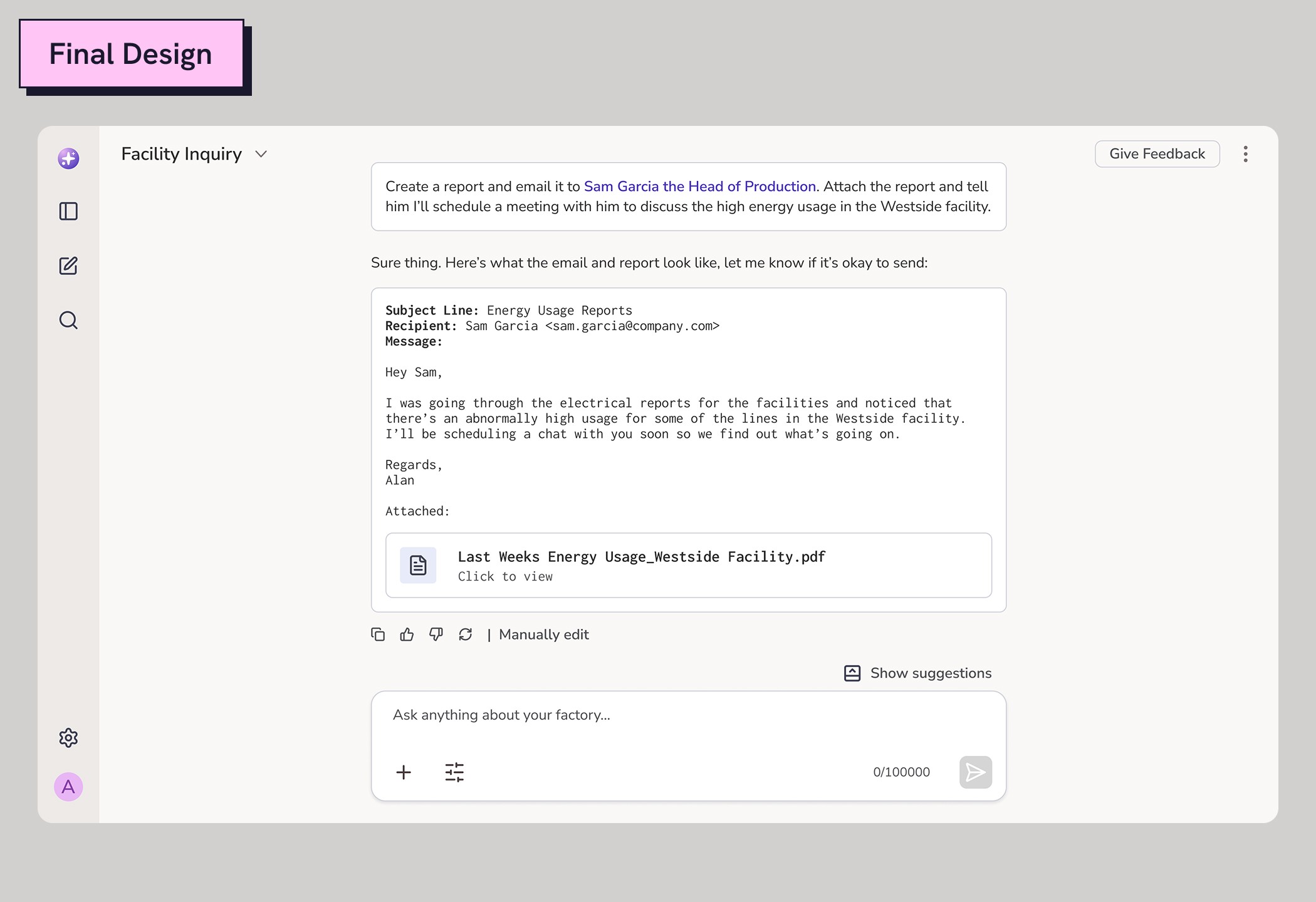
Power Outage Detection
By monitoring machine behavior and performance trends, the AI detects outages or slowdowns early. It alerts the right team immediately so they can triage issues before they escalate.
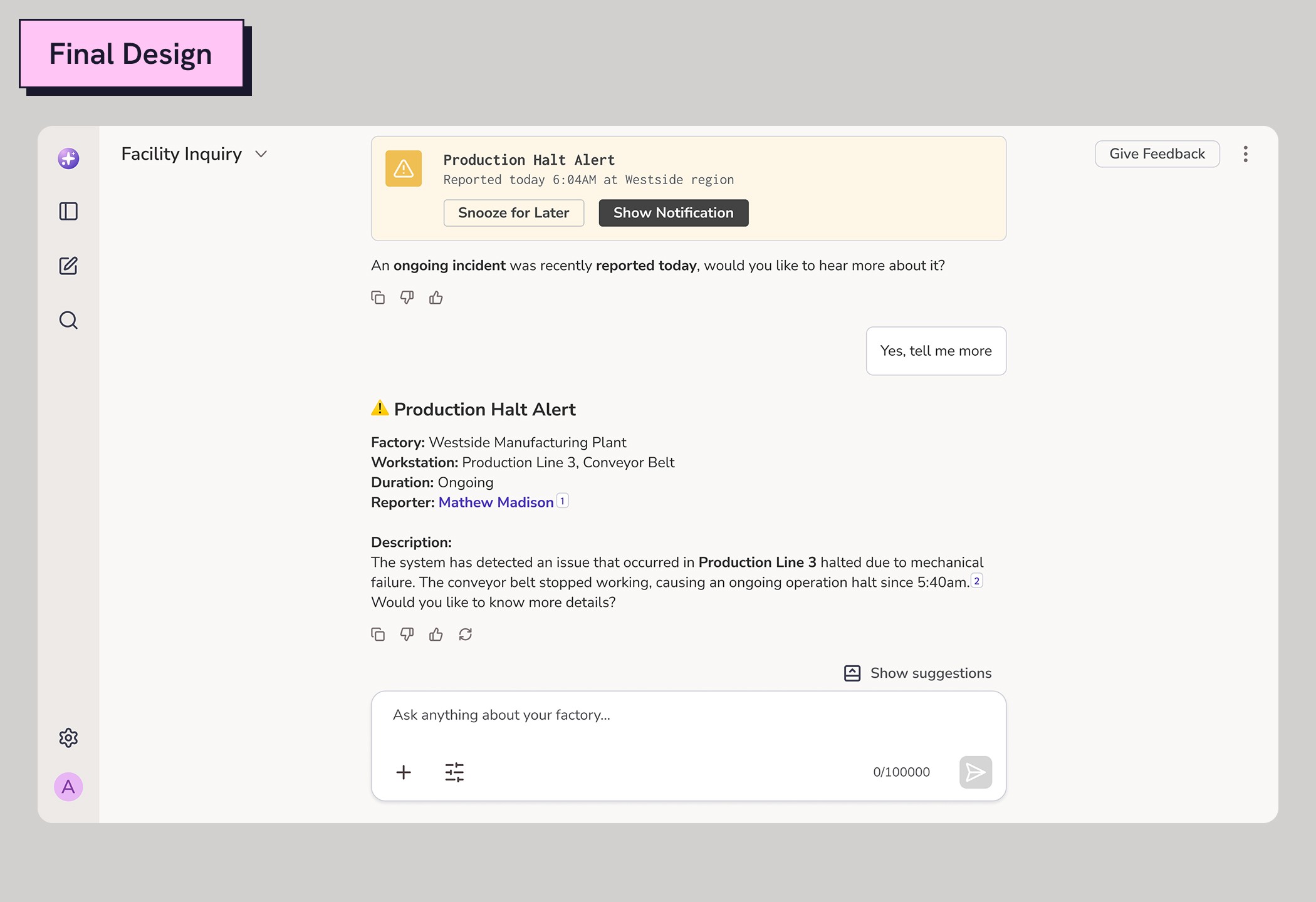
Visual Diagnostics
The AI transforms raw data into clear, actionable data visualizations. Teams can spot failures, trends, or unusual patterns at a glance.
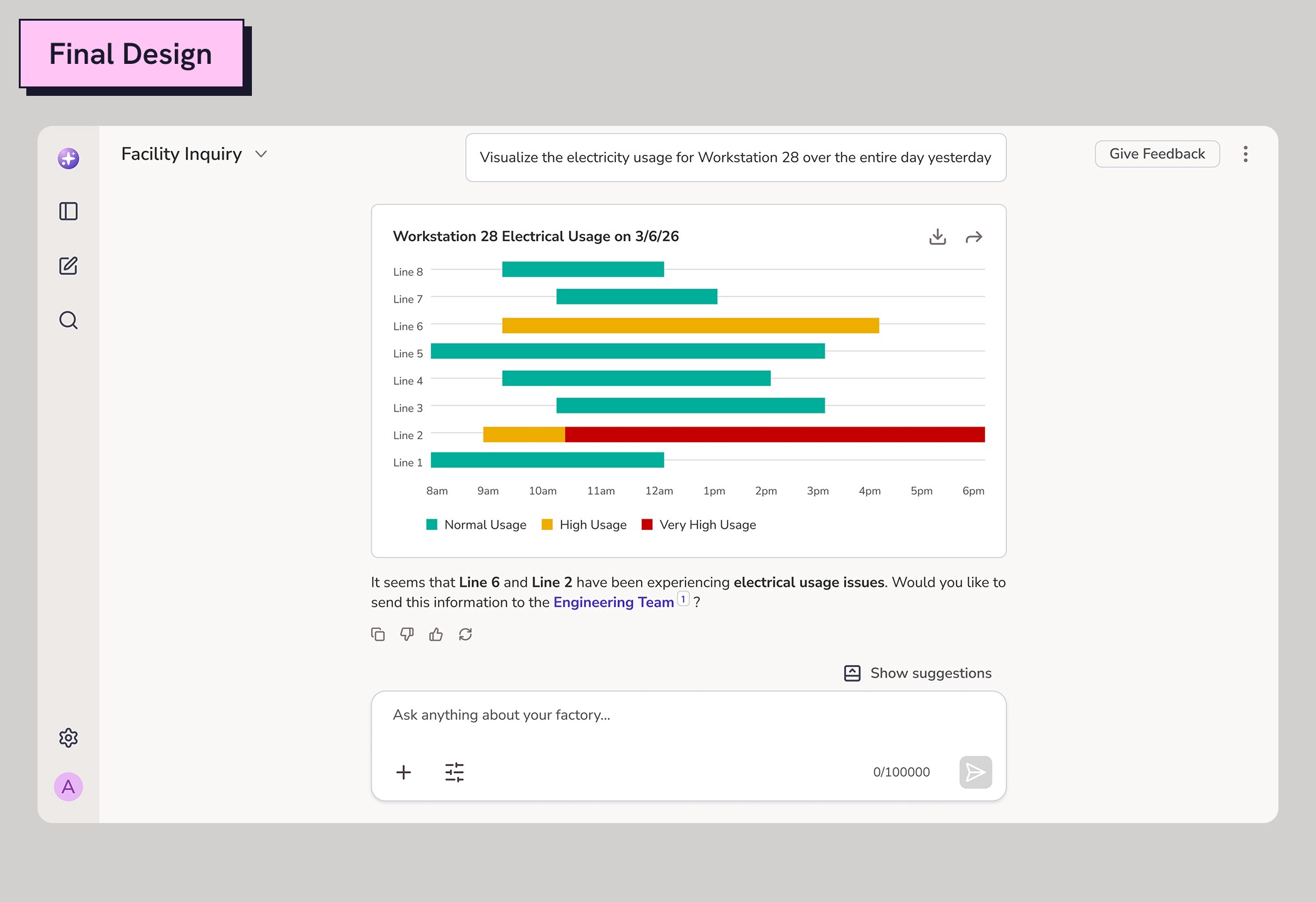
Performance Insights
The assistant helps teams move faster by handling coordination tasks like scheduling, messaging, and sharing updates. It acts as a communication bridge to keep everyone aligned.
IMPACT
Outcomes
I presented the final designs to clients who were impressed by the storytelling approach I used to show how the AI could deliver tailored insights to each team while supporting collaboration. Their feedback confirmed that I had captured their core challenges and offered a unique solution through AI.
Client Satisfaction
The story I built into the prototype helped clients visualize how the AI could support real workflows, which earned their trust and moved the project into development and testing.
Project Greenlight
This was the first AI project I successfully pushed into development on this team. Previous efforts were blocked by constraints, but clear communication helped secure alignment.
Reflection
Key takeaways
While I’ve designed for AI before, this project challenged me to move past the default chat model. It reminded me that my role isn’t just about designing the interface, but considering the interaction and the exchange of information that occurs. There are a million ways to get a single point across, but how I go about communicating that affects how others process it.